
Linguacode.AI Chrome 插件, crx 扩展下载
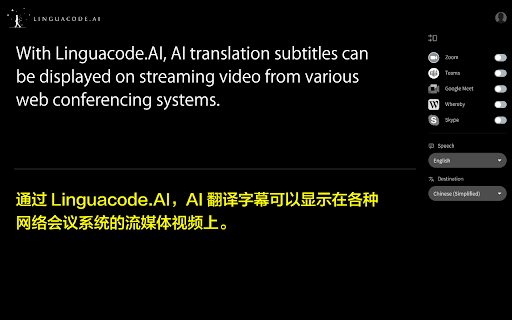

Let's add AI translation subtitles to streaming video conference footage!
It allows you to add translated subtitles to video conference footage.
You can install this Chrome extension and use it as soon as you register for LINGUACODE.AI by Alt Inc.
To register, please visit https://linguacode.ai
There is no charge for this service.
Function Overview
It translates your words in real-time and displays them as subtitles on the video in a video conference using Zoom, Teams, Google Meet and more.
It supports translation of about 30 languages.
You can easily switch the translation language even in the middle of a meeting.
It will play an active role in global meetings.
Version 1.0.1 : Minor bug fixed.
Version 1.0.0 : Initial release.
| 分类 | 📝工作流程与规划 |
| 插件标识 | fggofdajciompjmmolalakfhncihpglf |
| 平台 | Chrome |
| 评分 |
☆☆☆☆☆
|
| 评分人数 | |
| 插件主页 | https://chromewebstore.google.com/detail/linguacodeai/fggofdajciompjmmolalakfhncihpglf |
| 版本号 | 25.2.3.0 |
| 大小 | 36.6KiB |
| 官网下载次数 | 22 |
| 下载地址 | |
| 更新时间 | 2021-09-07 00:00:00 |
CRX扩展文件安装方法
第1步: 打开Chrome浏览器的扩展程序
第2步:
在地址栏输入: chrome://extensions/
第3步: 开启右上角的【开发者模式】
第4步: 重启Chrome浏览器 (重要操作)
第5步: 重新打开扩展程序管理界面
第6步: 将下载的crx文件直接拖入页面完成安装
注意:请确保使用最新版本的Chrome浏览器