
Skip silence Chrome 插件, crx 扩展下载

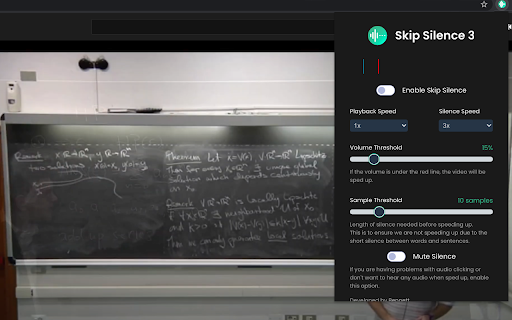
Skip silent parts in videos and audio files.
"Skip Silence" is a browser extension that allows you to autmatically skip parts of a video that are silent.
It is highly inspired by CaryKH's automatic on-the-fly video editing tool (https://www.youtube.com/watch?v=DQ8orIurGxw).
The extension works with most websites that use a HTML5 video or audio element to play, this includes YouTube and Instagram.
The full source code of this extension is available on https://github.com/vantezzen/skip-silence, if you find any issues or have a question please visit https://github.com/vantezzen/skip-silence/issues.
This extension needs the following permissions:
- "activeTab" => Access the currently active tab to monitor the video or audio source's volume and speed up and slow down.
- "storage" => The extension saves the settings you set using the browser storage
We do not collect or save any usage or other data about the users of this extension.
| 分类 | 📝工作流程与规划 |
| 插件标识 | fhdmkhbefcbhakffdihhceaklaigdllh |
| 平台 | Chrome |
| 评分 |
☆☆☆☆☆
|
| 评分人数 | |
| 插件主页 | https://chromewebstore.google.com/detail/skip-silence/fhdmkhbefcbhakffdihhceaklaigdllh |
| 版本号 | 25.2.3.0 |
| 大小 | 1.16MiB |
| 官网下载次数 | 10000 |
| 下载地址 | |
| 更新时间 | 2023-08-07 00:00:00 |
CRX扩展文件安装方法
第1步: 打开Chrome浏览器的扩展程序
第2步:
在地址栏输入: chrome://extensions/
第3步: 开启右上角的【开发者模式】
第4步: 重启Chrome浏览器 (重要操作)
第5步: 重新打开扩展程序管理界面
第6步: 将下载的crx文件直接拖入页面完成安装
注意:请确保使用最新版本的Chrome浏览器