
IMDB to Wikipedia Chrome 插件, crx 扩展下载
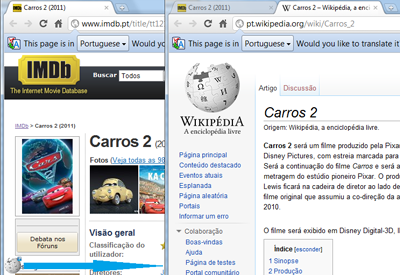
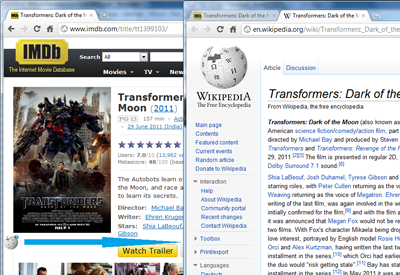
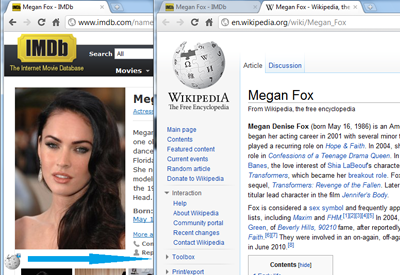
Displays a small floating wiki globe over movie/actor pages in IMDB that links to equivalent page in Wikipedia (Support 6 languages)
"View Wikipedia entry of a Movie or a Person in a single click from IMDB"
After installing, this extension will automatically display a small floating Wikipedia globe icon over the IMDB pages on Movies and Celebrities that takes you to the equivalent movie or celebrity page/article in Wikipedia in a single click.
(ps. Whether you're viewing a "Ed Wood" movie page or celebrity page in IMDB, it'll land you on the appropriate page in Wikipedia.)
It is very simple. No separate browser buttons. Appears only when you go to IMDB website.
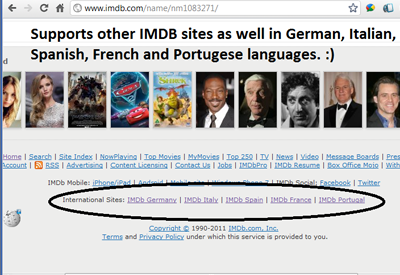
It works on all IMDB domains in other languages such as German, Italian, Spanish, French and Portugal. It opens up the Wikipedia article in that language.
If you like this extension, please tell your friends or blog about it.
If you don't like, please leave a feedback on what to improve.
Rate it based on your satisfaction. Thanks.
| 分类 | 🎉趣味休闲 |
| 插件标识 | fhgdfloiknhbpdagdbjogpjijbeolkmk |
| 平台 | Chrome |
| 评分 |
☆☆☆☆☆
|
| 评分人数 | |
| 插件主页 | https://chromewebstore.google.com/detail/imdb-to-wikipedia/fhgdfloiknhbpdagdbjogpjijbeolkmk |
| 版本号 | 3.0.0.18 |
| 大小 | 33.86KiB |
| 官网下载次数 | 129 |
| 下载地址 | |
| 更新时间 | 2012-10-21 00:00:00 |
CRX扩展文件安装方法
第1步: 打开Chrome浏览器的扩展程序
第2步:
在地址栏输入: chrome://extensions/
第3步: 开启右上角的【开发者模式】
第4步: 重启Chrome浏览器 (重要操作)
第5步: 重新打开扩展程序管理界面
第6步: 将下载的crx文件直接拖入页面完成安装
注意:请确保使用最新版本的Chrome浏览器