
DTU CoursePlanner Accumulater Chrome 插件, crx 扩展下载
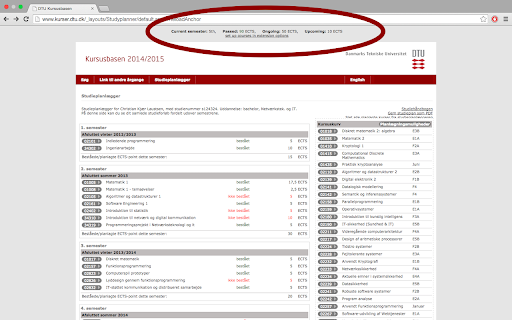
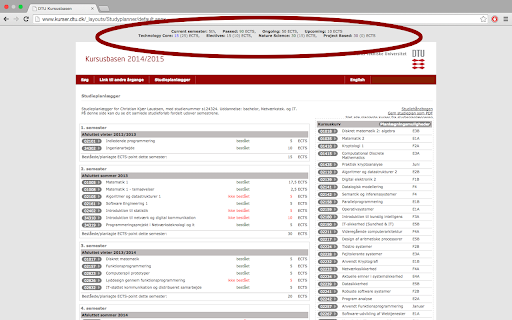
Automatically calculate ECTS points from the DTU course planner
Automatically calculate how many ECTS points you've passed, are taking currently, and have upcoming. It also puts your courses into the four categories that DTU requires you to have, namely technology core, nature sciences, electives and project based courses.
It's only tested with a Bsc, but should somewhat work with Msc also.
Want to join the development or have ideas? Check out the repo at https://github.com/Tehnix/CoursePlanner.
| 分类 | ♿无障碍访问 |
| 插件标识 | fiamknpomjmbblmkfillelnendemhfeh |
| 平台 | Chrome |
| 评分 |
☆☆☆☆☆
|
| 评分人数 | |
| 插件主页 | https://chromewebstore.google.com/detail/dtu-courseplanner-accumul/fiamknpomjmbblmkfillelnendemhfeh |
| 版本号 | 2.19.1 |
| 大小 | 1.03MiB |
| 官网下载次数 | 78 |
| 下载地址 | |
| 更新时间 | 2014-12-17 00:00:00 |
CRX扩展文件安装方法
第1步: 打开Chrome浏览器的扩展程序
第2步:
在地址栏输入: chrome://extensions/
第3步: 开启右上角的【开发者模式】
第4步: 重启Chrome浏览器 (重要操作)
第5步: 重新打开扩展程序管理界面
第6步: 将下载的crx文件直接拖入页面完成安装
注意:请确保使用最新版本的Chrome浏览器