
Zendesk Auto Refresh Chrome 插件, crx 扩展下载
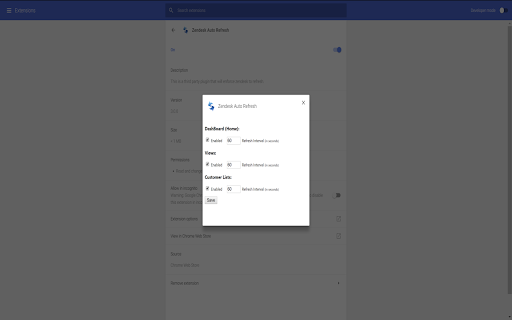
This is a third party plugin that will enforce zendesk to refresh.
This is a Third Party extension to refresh Zendesk.
You will be able to enable/disable and set the refresh interval in seconds for the following zendesk sections:
- Dashboard (Home)
- Views (Note: These are only refreshed automatically if you are on the first page to prevent navigating you away from other pages on refresh)
To change the settings please right click on the extension and click Options.
You can view the source code in github, if you do not trust this extension then you can build and add it to chrome yourself.
https://github.com/brandonstubbs/ZendeskRefresh
version changes:
3.1.2 - change selectors (zendesk update)
3.1.1 - change selectors (zendesk update), remove customerList from options
3.1.0 - change selectors, remove client list refresh (I don't have access to this anymore)
3.0.1 - change selectors
| 分类 | 📝工作流程与规划 |
| 插件标识 | fienhnlhhgmpnedllhaofmbekocecghf |
| 平台 | Chrome |
| 评分 |
☆☆☆☆☆
|
| 评分人数 | |
| 插件主页 | https://chromewebstore.google.com/detail/zendesk-auto-refresh/fienhnlhhgmpnedllhaofmbekocecghf |
| 版本号 | 25.2.3.0 |
| 大小 | 53.94KiB |
| 官网下载次数 | 7000 |
| 下载地址 | |
| 更新时间 | 2021-04-14 00:00:00 |
CRX扩展文件安装方法
第1步: 打开Chrome浏览器的扩展程序
第2步:
在地址栏输入: chrome://extensions/
第3步: 开启右上角的【开发者模式】
第4步: 重启Chrome浏览器 (重要操作)
第5步: 重新打开扩展程序管理界面
第6步: 将下载的crx文件直接拖入页面完成安装
注意:请确保使用最新版本的Chrome浏览器