
CKey Chrome 插件, crx 扩展下载
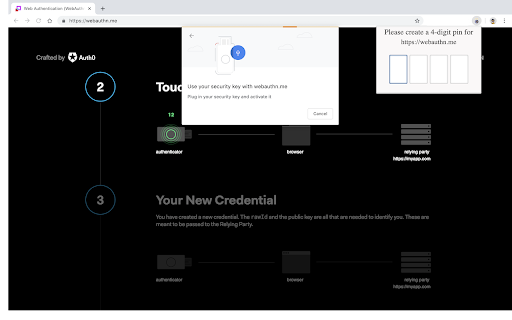
A Chrome Extension that emulates a Hardware Authentication Device
Chrome Key emulates a Hardware Authentication Device. It is capable of answering Webauthn requests for both registering new keys and authenticating with existing ones.
The purpose is to allow developers to test their applications without requiring having an actual device in hand.
It relies on browser standards such as Web Cryptography API and Concise Binary Object Representation for generation and interaction with key material.
This will never be able to provide the same security guarantees as a real HAD, so use it for development, debugging and testing only.
A 3-post blog series was written, touching different portions of this extension, its guarantees and lack of. The first post of the series may be found here https://blog.joaopeixoto.net/chrome-key-an-extension-story/.
| 分类 | 📝工作流程与规划 |
| 插件标识 | fjdlagkdaoginbnmlhcpochmeecjgcah |
| 平台 | Chrome |
| 评分 |
☆☆☆☆☆
|
| 评分人数 | |
| 插件主页 | https://chromewebstore.google.com/detail/ckey/fjdlagkdaoginbnmlhcpochmeecjgcah |
| 版本号 | 25.2.3.0 |
| 大小 | 163KiB |
| 官网下载次数 | 32 |
| 下载地址 | |
| 更新时间 | 2020-01-27 00:00:00 |
CRX扩展文件安装方法
第1步: 打开Chrome浏览器的扩展程序
第2步:
在地址栏输入: chrome://extensions/
第3步: 开启右上角的【开发者模式】
第4步: 重启Chrome浏览器 (重要操作)
第5步: 重新打开扩展程序管理界面
第6步: 将下载的crx文件直接拖入页面完成安装
注意:请确保使用最新版本的Chrome浏览器