
Hide the troll Chrome 插件, crx 扩展下载
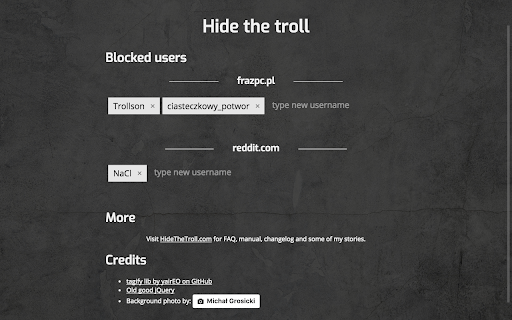
Hide annoying trolls demolishing your favorite forums. Make them invisible. Make them starve.
Have you ever been tired scrolling through comments of people that know sh*t but acts like they know everything? Have you ever been tired of people writing things just to p*ss you off? You don't have to waste your time seeing posts you don't want to read.
Once you feed extension with troll names while visiting a forum/webpage all posts written by trolls are hidden. Simple as that. No more rubbish. Of course, you can see the post if you really want - each hidden post has an 'eye' icon to show/hide the post.
Changelog:
0.1.1 to 0.1.4:
* Move 'show post' icon (eye) next to username. Make this place configurable via pages scripts.
* Remove unnecessary files (tagify source code) from build
* Remove unnecessary permissions. Matches for content_scripts automatically requests access to listed sites
* add support for optyczne.pl
| 分类 | 👥社交 |
| 插件标识 | fjkamjklknbahoimbaidpalnpbcbhpgp |
| 平台 | Chrome |
| 评分 |
☆☆☆☆☆
|
| 评分人数 | |
| 插件主页 | https://chromewebstore.google.com/detail/hide-the-troll/fjkamjklknbahoimbaidpalnpbcbhpgp |
| 版本号 | 3.128.4 |
| 大小 | 870KiB |
| 官网下载次数 | 18 |
| 下载地址 | |
| 更新时间 | 2017-08-27 00:00:00 |
CRX扩展文件安装方法
第1步: 打开Chrome浏览器的扩展程序
第2步:
在地址栏输入: chrome://extensions/
第3步: 开启右上角的【开发者模式】
第4步: 重启Chrome浏览器 (重要操作)
第5步: 重新打开扩展程序管理界面
第6步: 将下载的crx文件直接拖入页面完成安装
注意:请确保使用最新版本的Chrome浏览器