
Wikimedia Input Tools Chrome 插件, crx 扩展下载
Wikimedia Input Tools allows you to type in your native language from among 60+ languages.
Wikimedia Input Tools allows you to type in 60+ languages on any website across the web.
- Chat with your Facebook friends in Hindi.
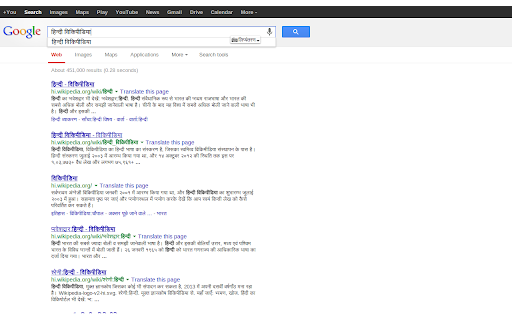
- Do a google search in Telugu.
- Send an email to your German friend in Deutsch.
And a lot more!
Simply select the language you wish to type in to get started.
How to use?
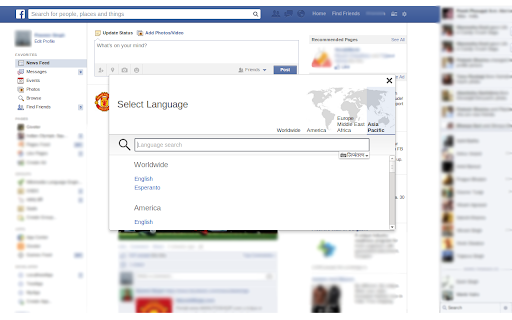
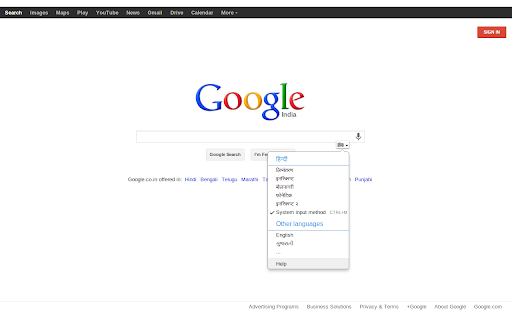
Focus on any input field on a webpage and click on the keyboard icon. Select the ' ... ' option to open the language selector. You can use the Language Selector to find the languages spoken in any particular region.
For example, selecting Asia-Pacific in the map would list all the popular languages that are spoken in Asia-Pacific region.
Select the language you want to use. Select an input method for the selected language and start typing straight away.
Supported languages:
- Amharic
- Arabic
- Assamese
- Belarusian
- Tifinagh
- Bengali
- Bodo
- Central Kurdish
- Chuvash
- Cyrillic
- Dansk (Danish)
- Deutsch (German)
- Dogri
- Greek
- Esperanto
- Finnish
- Føroyskt
- International Phonetic Alphabet
- Kokani
- Gujarati
- Hebrew
- Hindi
- Croatian
- Armenian
- Icelandic
- Javanese
- Georgian
- Kazakh
- Kannada
- Kashmiri
- Kurdish
- Kirghiz
- Laotian
- Maithili
- Marshallese
- Malayalam
- Mongolian
- Manipuri
- Marathi
- Burmese
- Norwegian
- Nepali
- Odia
- Punjabi
- Russian
- Sanskrit
- Sakha
- Santali
- Sindhi
- Northern Sami
- Sinhalese
- Slovak
- Serbian
- Swedish
- Tamil
- Telugu
- Thai
- Udmurt
- Uyghur
- Ukrainian
- Urdu
- Uzbek
| 分类 | ♿无障碍访问 |
| 插件标识 | fjnfifedbeeeibikgpggddmfbaeccaoh |
| 平台 | Chrome |
| 评分 |
☆☆☆☆☆
|
| 评分人数 | |
| 插件主页 | https://chromewebstore.google.com/detail/wikimedia-input-tools/fjnfifedbeeeibikgpggddmfbaeccaoh |
| 版本号 | 2.19.1 |
| 大小 | 544KiB |
| 官网下载次数 | 2000 |
| 下载地址 | |
| 更新时间 | 2019-03-08 00:00:00 |
CRX扩展文件安装方法
第1步: 打开Chrome浏览器的扩展程序
第2步:
在地址栏输入: chrome://extensions/
第3步: 开启右上角的【开发者模式】
第4步: 重启Chrome浏览器 (重要操作)
第5步: 重新打开扩展程序管理界面
第6步: 将下载的crx文件直接拖入页面完成安装
注意:请确保使用最新版本的Chrome浏览器