
Trello Chart Suite Chrome 插件, crx 扩展下载
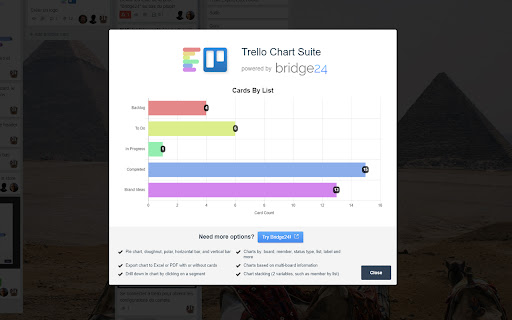
One click easy charts of your cards in a charts
One click easy chart creation of your current Trello board. A horizontal bar chart with counts per list is presented.
After installing, access through Trello from Menu > Trello Chart Suite.
Note: After installation you may require to refresh your browser for it to display in Trello.
For greater flexibility in charting from Trello use Bridge24:
-Use a filter to select specific boards and cards to include
-Include archived and completed cards
-Drill down in each chart segment
-Chart stacking (allow display of 2 variables in the same chart)
-Export chart and associated card list to PDF
Also:
-Create customizable reports in a high quality printable format to PDF or Excel
-View cards across boards in a Grid view and update card information
Website: https://bridge24.com/trello/
| 分类 | 📝工作流程与规划 |
| 插件标识 | fjpbghbcfjaheakhffigkkjplgigmccc |
| 平台 | Chrome |
| 评分 |
☆☆☆☆☆
|
| 评分人数 | |
| 插件主页 | https://chromewebstore.google.com/detail/trello-chart-suite/fjpbghbcfjaheakhffigkkjplgigmccc |
| 版本号 | 25.2.3.0 |
| 大小 | 618KiB |
| 官网下载次数 | 160 |
| 下载地址 | |
| 更新时间 | 2019-03-14 00:00:00 |
CRX扩展文件安装方法
第1步: 打开Chrome浏览器的扩展程序
第2步:
在地址栏输入: chrome://extensions/
第3步: 开启右上角的【开发者模式】
第4步: 重启Chrome浏览器 (重要操作)
第5步: 重新打开扩展程序管理界面
第6步: 将下载的crx文件直接拖入页面完成安装
注意:请确保使用最新版本的Chrome浏览器