
arXiv keys Chrome 插件, crx 扩展下载
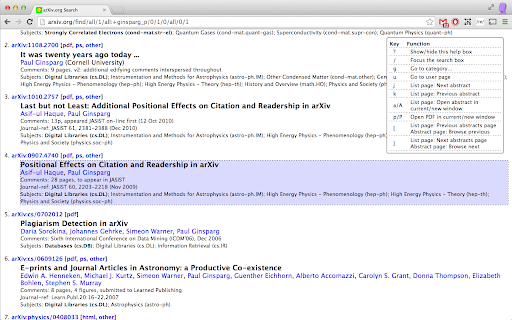
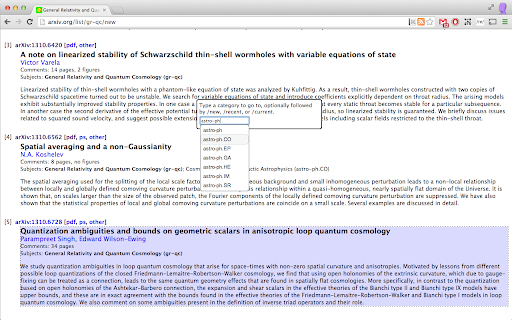
Adds keyboard navigation keys to the arXiv.
New in v0.9.6: Persist which item is highlighted on each page when navigating away and back in the same session.
----------------------------------------------------------------
Less clicking, more science! Now you can navigate the arXiv with the keyboard instead of the mouse. This extension adds several "navkey" navigation keys / keyboard shortcuts to arXiv pages.
On all pages:
? Show/hide short keyboard shortcut help
/ Set focus to search bar
g Go to category...
u Go to user page
On list/search/author-id pages:
j/k Steps down/up through the abstracts
a/A Open the selected abstract in the current/new window
p/P Open the selected PDF in the current/new window
[/] Previous/next page of abstracts
On abstract pages:
p/P Open the selected PDF in the current/new window
[/] Browse previous/next abstract
| 分类 | ♿无障碍访问 |
| 插件标识 | fkjjdlbhliopfhgddlpoggpmpgjfaojd |
| 平台 | Chrome |
| 评分 |
☆☆☆☆☆
|
| 评分人数 | |
| 插件主页 | https://chromewebstore.google.com/detail/arxiv-keys/fkjjdlbhliopfhgddlpoggpmpgjfaojd |
| 版本号 | 0.9.6 |
| 大小 | 133KiB |
| 官网下载次数 | 86 |
| 下载地址 | |
| 更新时间 | 2020-01-08 00:00:00 |
CRX扩展文件安装方法
第1步: 打开Chrome浏览器的扩展程序
第2步:
在地址栏输入: chrome://extensions/
第3步: 开启右上角的【开发者模式】
第4步: 重启Chrome浏览器 (重要操作)
第5步: 重新打开扩展程序管理界面
第6步: 将下载的crx文件直接拖入页面完成安装
注意:请确保使用最新版本的Chrome浏览器