
Mile Wide Back Chrome 插件, crx 扩展下载

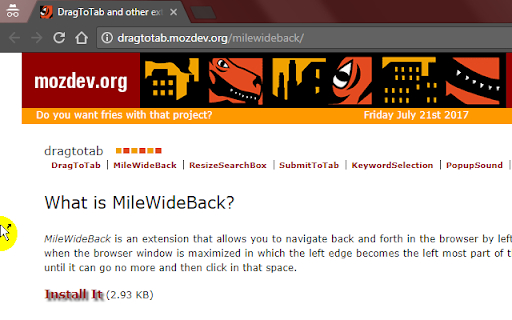

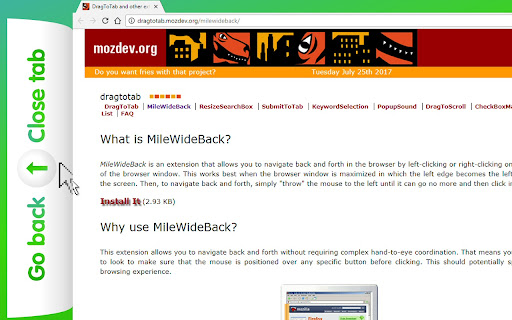
Allows you to quickly navigate your browser history and to switch between tabs by clicking on the left edge of your screen/window.
The left edge of your browser window becomes a multi-purpose button. It is infinitely wide because your mouse can continue to travel left, while the cursor will remain stuck to the edge of the screen.
For optimal usability, please make sure that your window in maximized.
The trick is to fling your wrist to the left. No accuracy or coordination is needed here. You could even do this blind-folded.
Then proceed to left/middle/right click the mouse as desired or rotate your mouse wheel.
* Left click to navigate back
* Right click to navigate forward
* Middle-click to close the current tab
* Rotate the mouse wheel to cycle through your open tabs
* Left and right click at the same time to create a new tab
This extension doesn't work on the Browser's Settings page and the WebStore page, because of Chrome's security policy.
Unlike other mouse gesture extensions, this extension doesn't require you to hold the mouse button down while moving it, which means less coordination required!
| 分类 | 📝工作流程与规划 |
| 插件标识 | fmgnifabmkdembnfmhppkflgamojpodf |
| 平台 | Chrome |
| 评分 |
☆☆☆☆☆
|
| 评分人数 | |
| 插件主页 | https://chromewebstore.google.com/detail/mile-wide-back/fmgnifabmkdembnfmhppkflgamojpodf |
| 版本号 | 25.2.3.0 |
| 大小 | 21.04KiB |
| 官网下载次数 | 776 |
| 下载地址 | |
| 更新时间 | 2021-06-02 00:00:00 |
CRX扩展文件安装方法
第1步: 打开Chrome浏览器的扩展程序
第2步:
在地址栏输入: chrome://extensions/
第3步: 开启右上角的【开发者模式】
第4步: 重启Chrome浏览器 (重要操作)
第5步: 重新打开扩展程序管理界面
第6步: 将下载的crx文件直接拖入页面完成安装
注意:请确保使用最新版本的Chrome浏览器