
TabSaver Chrome 插件, crx 扩展下载
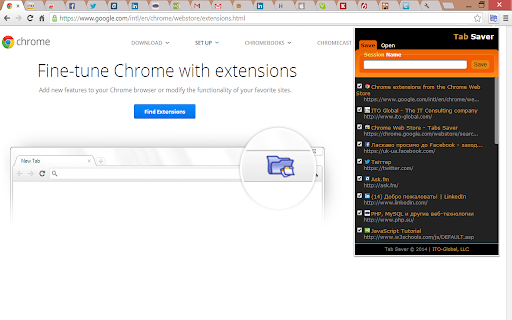
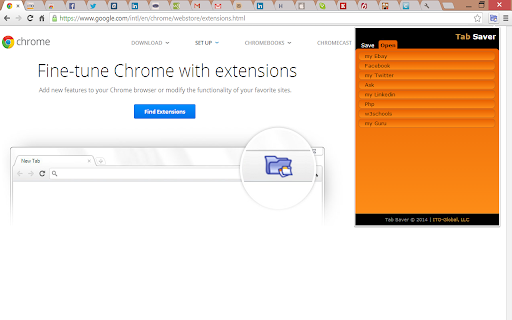
This extension stores opened tabs to reopen after browser restart.
TabSaver is a simple and lightweight Google Chrome Extension for saving, synchronizing and restoring the list of opened tabs before closing the browser.
Have you ever faced a mess of tabs in your browser? Do you want to browse a lot of information and at the same time not to spend much time organizing your browser tabs? TabSaver will help you!
TabSaver - is an easy way to sort, select and save the list of opened browser tabs instantly. There’s no need to be annoyed with too many confusing tabs in Chrome. You can shut down the browser at any time and continue your navigation from anywhere - saved tabs will be simply re-opened. One click will save your minutes every day which you can use later in a better way.
Designed by a group of Free Open Source Software enthusiasts, with a simple and user-friendly interface in mind, making it extremely easy to save your browsing sessions by converting all your opened tabs into the synchronizable list with just one click. Now, it is easy to work with a lot of information in a browser without worry about its persistence.
| 分类 | ⚙️功能性 |
| 插件标识 | fmjkkhoegfianolbdbceddpgnidbfpmo |
| 平台 | Chrome |
| 评分 |
☆☆☆☆☆
|
| 评分人数 | |
| 插件主页 | https://chromewebstore.google.com/detail/tabsaver/fmjkkhoegfianolbdbceddpgnidbfpmo |
| 版本号 | 3.1.0 |
| 大小 | 38.45KiB |
| 官网下载次数 | 3000 |
| 下载地址 | |
| 更新时间 | 2019-02-10 00:00:00 |
CRX扩展文件安装方法
第1步: 打开Chrome浏览器的扩展程序
第2步:
在地址栏输入: chrome://extensions/
第3步: 开启右上角的【开发者模式】
第4步: 重启Chrome浏览器 (重要操作)
第5步: 重新打开扩展程序管理界面
第6步: 将下载的crx文件直接拖入页面完成安装
注意:请确保使用最新版本的Chrome浏览器