
Right Click Search on Amazon Chrome 插件, crx 扩展下载
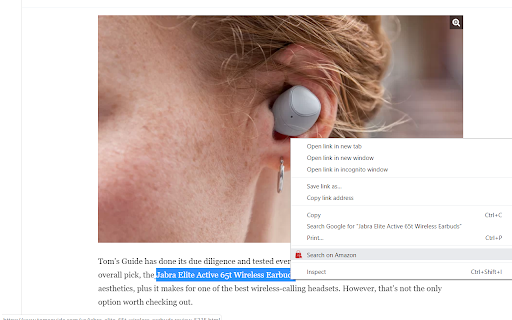
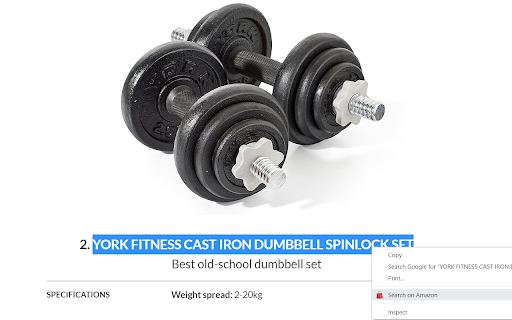
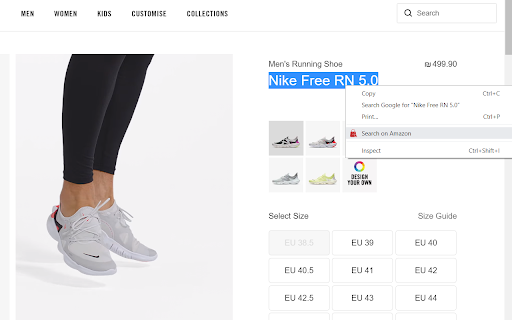
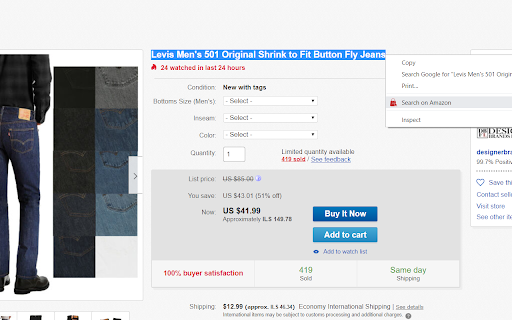
Mark some text, right click on it and search it on Amazon
Search anything on Amazon with a simple right click.
Choose your marketplace in the settings, highlight your desired text wherever, right click & search on Amazon.
Try it out now for FREE
What is it good for?
-prices comparing
-market research
-reviews in seconds
-fast shopping
-exact product search
Search product names from any website- on Amazon.
IMPORTANT:
- Please note that all extensions are disabled on Chrome Web Store pages. Do NOT test the extension on this page; it will not work!
- If the extension is not working for you, please make sure it's up to date. Visit chrome://extensions/, click the "Update extensions now" button, then restart Chrome.
-------------
By installing this extension, you agree to the Terms of Service: https://www.google.com/policies/terms
Having problems with the extension? Please contact us at [email protected] or share with us on https://plus.google.com/u/2/communities/104717200104217571957.
Privacy Policy: https://adjusti.co/privacy.html
| 分类 | 🛍️购物 |
| 插件标识 | fnammdbpgloaalmefhleheklnlogpona |
| 平台 | Chrome |
| 评分 |
☆☆☆☆☆
|
| 评分人数 | |
| 插件主页 | https://chromewebstore.google.com/detail/right-click-search-on-ama/fnammdbpgloaalmefhleheklnlogpona |
| 版本号 | 3.4.7 |
| 大小 | 26.69KiB |
| 官网下载次数 | 8000 |
| 下载地址 | |
| 更新时间 | 2019-08-05 00:00:00 |
CRX扩展文件安装方法
第1步: 打开Chrome浏览器的扩展程序
第2步:
在地址栏输入: chrome://extensions/
第3步: 开启右上角的【开发者模式】
第4步: 重启Chrome浏览器 (重要操作)
第5步: 重新打开扩展程序管理界面
第6步: 将下载的crx文件直接拖入页面完成安装
注意:请确保使用最新版本的Chrome浏览器