
HideIPVPN - VPN and Smart DNS services Chrome 插件, crx 扩展下载

Hide your IP address and bypass blocks and restrictions
Hide your IP address and bypass blocks and restrictions!
Protect your privacy with HideIPVPN, use it encrypt to network traffic and stay protected when online. Add privacy and security to private and public networks when you access the Internet at WiFi hotspots.
Access content anywhere
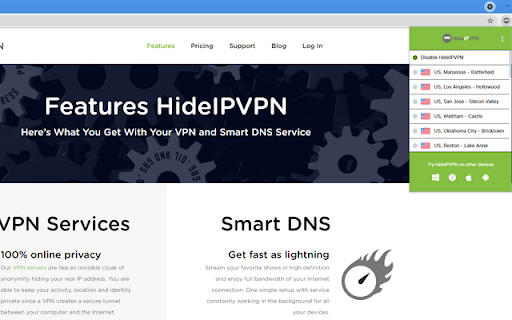
Hide your IP and spoof your location to access content from anywhere in the world
Total online privacy
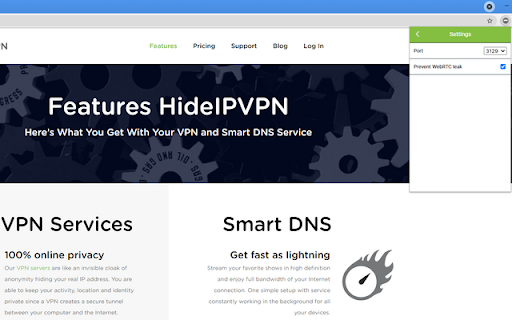
Use our WebRTC leak protection feature to make sure your IP address is not leaked while using our proxy servers.
To register free VPN trial account press the link below:
https://www.hideipvpn.com/free-vpn-trial/
For more details about HideIPVPN VPN & Smart DNS services please visit:
HideIPVPN website: https://www.hideipvpn.com/
HideIPVPN Client Area: https://billing.hideipvpn.com/clientarea.php
| 分类 | 📝工作流程与规划 |
| 插件标识 | gafphfhlhaodgjdaghcjcbgeggfiflaa |
| 平台 | Chrome |
| 评分 |
☆☆☆☆☆
|
| 评分人数 | |
| 插件主页 | https://chromewebstore.google.com/detail/hideipvpn-vpn-and-smart-d/gafphfhlhaodgjdaghcjcbgeggfiflaa |
| 版本号 | 4.13.1 |
| 大小 | 192KiB |
| 官网下载次数 | 291 |
| 下载地址 | |
| 更新时间 | 2024-08-26 00:00:00 |
CRX扩展文件安装方法
第1步: 打开Chrome浏览器的扩展程序
第2步:
在地址栏输入: chrome://extensions/
第3步: 开启右上角的【开发者模式】
第4步: 重启Chrome浏览器 (重要操作)
第5步: 重新打开扩展程序管理界面
第6步: 将下载的crx文件直接拖入页面完成安装
注意:请确保使用最新版本的Chrome浏览器