
E-mail Encryptor for GMail Chrome 插件, crx 扩展下载
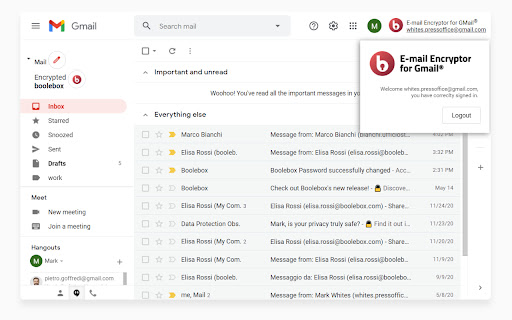
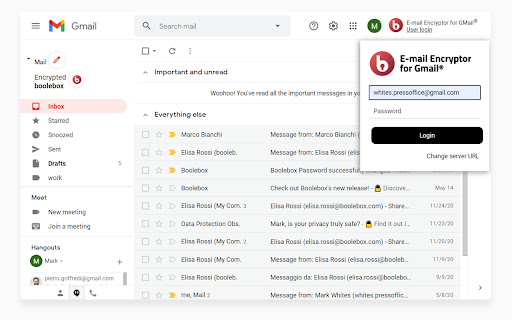
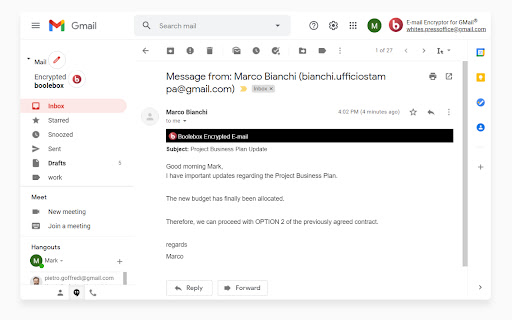
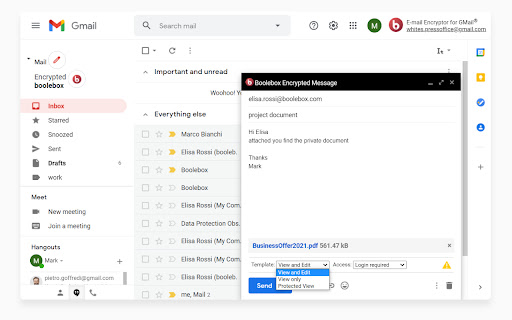
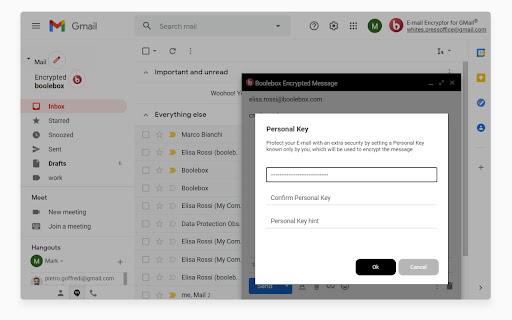
Google Chrome plug-in for your e-mail encryption.
Send secure e-mails from your Gmail account and be sure that your confidential e-mails stay safe and protected, even after sending them.
Gmail Encryptor key benefits:
• Perfect integration with Gmail graphical interface;
• Possibility to send and receive encrypted e-mails, with or without attachments;
• Further layer of security guaranteed by the possibility to set Personal encryption Keys on each single e-mail;
• Complete control over message accessibility through the use of preset Templates (public messages, messages with time-expiry, etc.);
• Different authentication options (simple authentication, Single Sign On, Two-Factor Authentication).
For further information: https://gmailencryptor.boolebox.com/
| 分类 | 📝工作流程与规划 |
| 插件标识 | gahidjdbofmakoogblfdifdlmcgpokbm |
| 平台 | Chrome |
| 评分 |
☆☆☆☆☆
|
| 评分人数 | |
| 插件主页 | https://chromewebstore.google.com/detail/e-mail-encryptor-for-gmai/gahidjdbofmakoogblfdifdlmcgpokbm |
| 版本号 | 12.32.0 |
| 大小 | 287KiB |
| 官网下载次数 | 158 |
| 下载地址 | |
| 更新时间 | 2022-08-05 00:00:00 |
CRX扩展文件安装方法
第1步: 打开Chrome浏览器的扩展程序
第2步:
在地址栏输入: chrome://extensions/
第3步: 开启右上角的【开发者模式】
第4步: 重启Chrome浏览器 (重要操作)
第5步: 重新打开扩展程序管理界面
第6步: 将下载的crx文件直接拖入页面完成安装
注意:请确保使用最新版本的Chrome浏览器