
Calimoto Poweride Chrome 插件, crx 扩展下载
Upgrade the Calimoto Tour Planner web experience by adding new features
Add some features to the web Calimoto's Tour Planner:
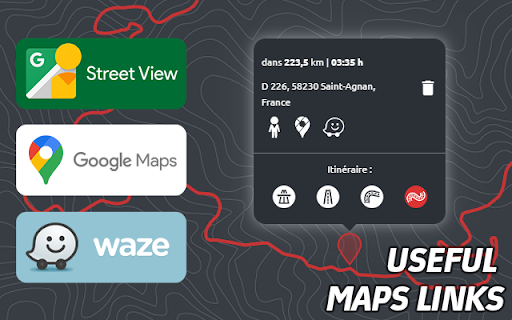
_ Links to externals map services
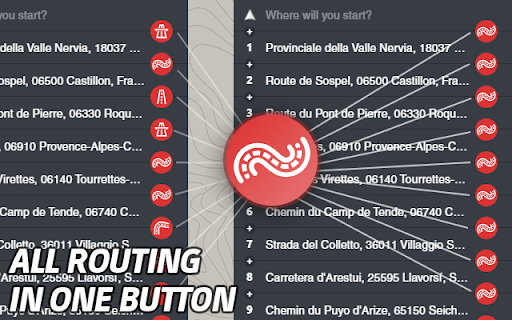
_ Change routing mode for all waypoints quickly
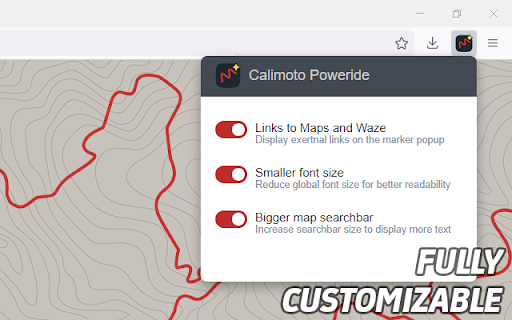
_ Design update (like bigger search bar and bigger font size)
== Details ==
Make your trip planning easier with the specials shortcuts to maps services:
· with Street View you can check the landscape & the condition of the road
· with Google Maps you can find interest around your track & check traffic
· with Waze in Motorcycle Mode you can meet your mate faster & safer
In one button switch all points' routing to the same routing mode!
This extension make interface more readable with some design adjustments.
Customizable: You can chose features you want to enable.
Privacy: No tracking of any sort.
This extension doesn't apply to Calimoto's mobile app and is a non-official extension.
| 分类 | 🎬娱乐 |
| 插件标识 | gbjkklkjohmpklkamcnbpmaoohgleghi |
| 平台 | Chrome |
| 评分 |
☆☆☆☆☆
|
| 评分人数 | |
| 插件主页 | https://chromewebstore.google.com/detail/calimoto-poweride/gbjkklkjohmpklkamcnbpmaoohgleghi |
| 版本号 | 5.1.3 |
| 大小 | 31.95KiB |
| 官网下载次数 | 90 |
| 下载地址 | |
| 更新时间 | 2023-08-25 00:00:00 |
CRX扩展文件安装方法
第1步: 打开Chrome浏览器的扩展程序
第2步:
在地址栏输入: chrome://extensions/
第3步: 开启右上角的【开发者模式】
第4步: 重启Chrome浏览器 (重要操作)
第5步: 重新打开扩展程序管理界面
第6步: 将下载的crx文件直接拖入页面完成安装
注意:请确保使用最新版本的Chrome浏览器