
My Twitch Tv Following Chrome 插件, crx 扩展下载
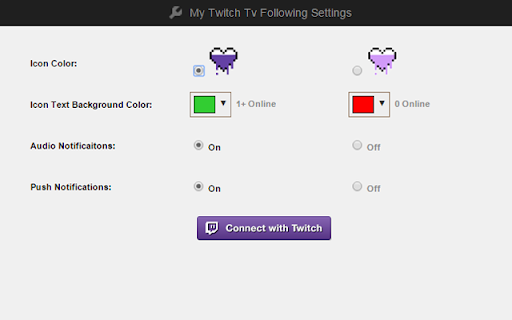
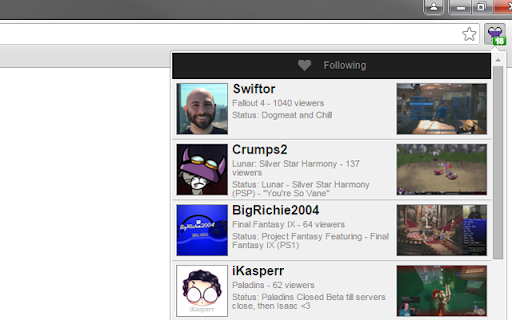
Displays the online channels from your following list on Twitch in real time.
Displays up to 100 of the channels that you are following on Twitch.tv that are currently online in real time. With optional audio and push notifications, you'll never miss when a channel you follow comes online again.
*** UPDATED June 6, 2023 ***
Fixed an issue that was causing authentication and authorization errors
*** UPDATED Sept 15, 2022 ***
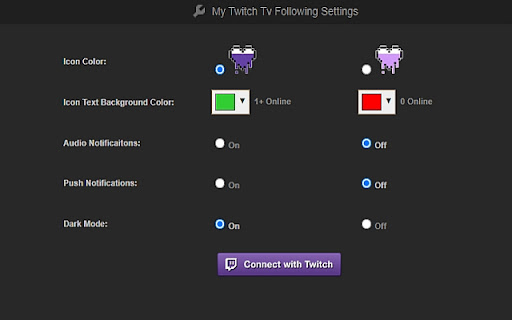
Added a dark mode that uses dark backgrounds and light text colors
*** UPDATED Feb 19, 2022 ***
Updated in preparation for Twitch migrating to a new API
*** UPDATED Aug 23, 2019 ***
Fixed an issue related to Twitch migrating their API to a newer version
Fixed an issue that prevented push notifications from displaying
Fixed an issue that prevented some options from being saved when changed
| 分类 | 🎉趣味休闲 |
| 插件标识 | gbnicdonieafpdoggdddabimodjmmopl |
| 平台 | Chrome |
| 评分 |
☆☆☆☆☆
|
| 评分人数 | |
| 插件主页 | https://chromewebstore.google.com/detail/my-twitch-tv-following/gbnicdonieafpdoggdddabimodjmmopl |
| 版本号 | 4.3.0 |
| 大小 | 223KiB |
| 官网下载次数 | 275 |
| 下载地址 | |
| 更新时间 | 2023-06-06 00:00:00 |
CRX扩展文件安装方法
第1步: 打开Chrome浏览器的扩展程序
第2步:
在地址栏输入: chrome://extensions/
第3步: 开启右上角的【开发者模式】
第4步: 重启Chrome浏览器 (重要操作)
第5步: 重新打开扩展程序管理界面
第6步: 将下载的crx文件直接拖入页面完成安装
注意:请确保使用最新版本的Chrome浏览器