
XHordes Chrome 插件, crx 扩展下载
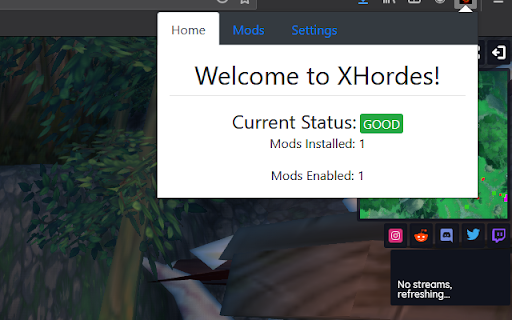
The official XHordes extension. Allows users to load mods into the game Hordes.io
The official XHordes Modding Extension! Allows anyone to easily install mods for the game Hordes.io
Features:
- Install mods from .xhordes.zip files
- Change mod loading order
- Enable/disable individual mods
How to use:
Simply visit the download link for any XHordes compatible mod and then click "Install" on the page that follows.
(If prompted for save location, please select "save file" and not "open"!
After installing a mod, it'll be automatically loaded into Hordes.io when you open it next!
NOTE:
Hordes.io will probably take longer to load than usual (typically another 20-30 seconds). If it takes longer than a minute, please reload the page and see if it works. If it still doesn't work, please report it in our Discord server ( https://discord.gg/y9YS633r5p )
Want to create your own mod?
Follow this link for instructions on how to do so!
https://github.com/LegusX/xhordes/wiki/Creating-a-Mod
Want to contribute, or just view the source code?
Check out the Github repository. All the code is open source!
https://github.com/LegusX/xhordes
| 分类 | 🎉趣味休闲 |
| 插件标识 | gbpigolhkeokbbpieimeiknacjhhejhl |
| 平台 | Chrome |
| 评分 |
☆☆☆☆☆
|
| 评分人数 | |
| 插件主页 | https://chromewebstore.google.com/detail/xhordes/gbpigolhkeokbbpieimeiknacjhhejhl |
| 版本号 | 3.0.0.18 |
| 大小 | 365KiB |
| 官网下载次数 | 31 |
| 下载地址 | |
| 更新时间 | 2021-03-31 00:00:00 |
CRX扩展文件安装方法
第1步: 打开Chrome浏览器的扩展程序
第2步:
在地址栏输入: chrome://extensions/
第3步: 开启右上角的【开发者模式】
第4步: 重启Chrome浏览器 (重要操作)
第5步: 重新打开扩展程序管理界面
第6步: 将下载的crx文件直接拖入页面完成安装
注意:请确保使用最新版本的Chrome浏览器