
Aratools Arabic-English Dictionary Chrome 插件, crx 扩展下载
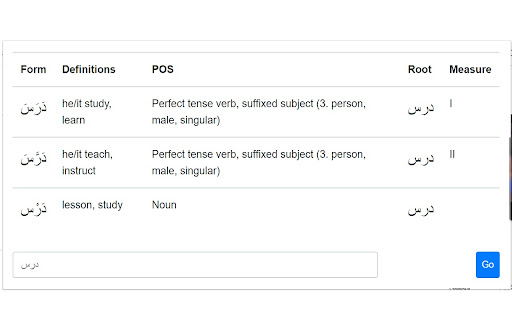
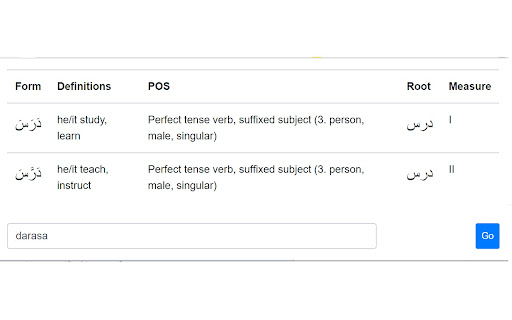
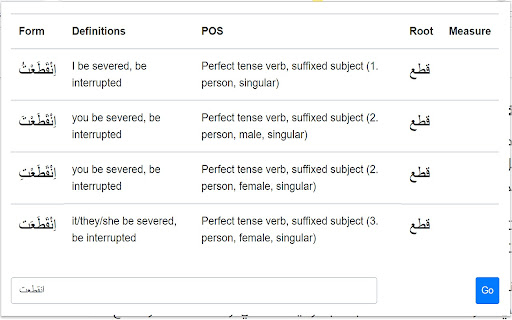
Translate and get prefix and suffix morphology, parts of speech of Arabic words.
✅ Prefix and suffix morphology
✅ POS information
✅ Root definition
✅ Over 80,000 stems in dictionary
✅ Sortable result table
✅ Latin transliteration available (darasa ➡ درس)
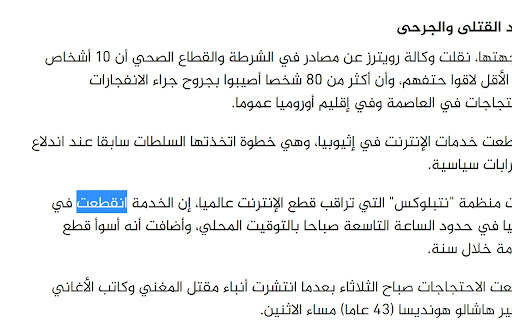
✅ Especially suited for translating Arabic news sources or for Arabic language learners
✅ Crossplatform (see the Aratools site for a web version and downloadable native computer and mobile versions)
⌨ Shortcut: After highlighting a word, type Ctrl+Shift+A on Windows or Command+Shift+A on Mac to view definitions and roots instantly.
? Made for Aratools, an incredible service available at http://aratools.com/. Aratools is the result of of a longstanding linguistics project known as AraMorph.
?? AraMorph is a Java port of the homonym product developed in Perl by Tim Buckwalter on behalf of the Linguistic Data Consortium (LDC).
ترجمة والحصول على بادئة واللاحقة المورفولوجيا ، أجزاء الكلام من الكلمات العربية.
✅ بادئة لاحقة المورفولوجيا
✅ معلومات أجزاء من الكلام
✅ تعريف الجذر
✅ أكثر من 80000 جذور في القاموس
✅ جدول النتائج القابل للفرز
✅ الترجمة اللاتينية المتاحة (darasa ➡ درس)
✅ مناسب بشكل خاص لترجمة مصادر الأخبار العربية أو لمتعلمي اللغة العربية
✅ للحصول على إصدار ويب وكمبيوتر أصلي وإصدارات محمولة قابلة للتنزيل انظر موقع Aratools
⌨ بعد تمييز كلمة ، استخدم الاختصارات التالية لعرض التعريفات والجذور
نظام التشغيل Windows: Ctrl + Shift ⇧ + A
نظام التشغيل Mac: Command ⌘ + Shift ⇧ + A
? :صنعت هذه الأدوات لموقع آراتولز
http://aratools.com/
?? AraMorph هو منفذ للمنتج الأصلي الذي قدمه Tim Buckwalter نيابة عن Linguistic Data Consortium.
| 分类 | 🛠️工具 |
| 插件标识 | gdoealibegpiniendldahkilkndneoco |
| 平台 | Chrome |
| 评分 |
☆☆☆☆☆
|
| 评分人数 | |
| 插件主页 | https://chromewebstore.google.com/detail/aratools-arabic-english-d/gdoealibegpiniendldahkilkndneoco |
| 版本号 | 1.0.0.47 |
| 大小 | 51.12KiB |
| 官网下载次数 | 289 |
| 下载地址 | |
| 更新时间 | 2020-08-21 00:00:00 |
CRX扩展文件安装方法
第1步: 打开Chrome浏览器的扩展程序
第2步:
在地址栏输入: chrome://extensions/
第3步: 开启右上角的【开发者模式】
第4步: 重启Chrome浏览器 (重要操作)
第5步: 重新打开扩展程序管理界面
第6步: 将下载的crx文件直接拖入页面完成安装
注意:请确保使用最新版本的Chrome浏览器