
BetterK12 Chrome 插件, crx 扩展下载
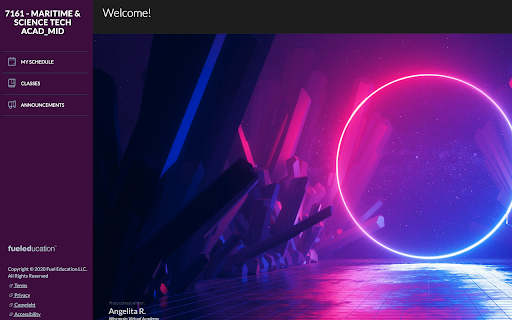
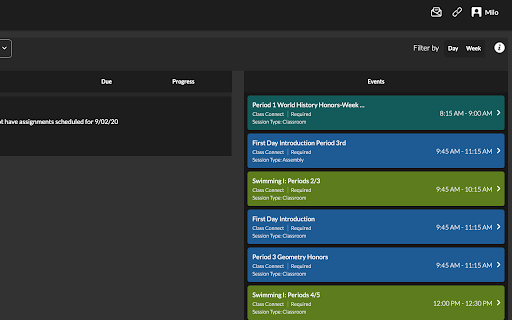
Are you tired of the same old low-resolution dashboard pictures? Does the K12 light mode burn your eyes?
If so, this is the…
Are you tired of the same old low-resolution dashboard pictures? Does the K12 light mode burn your eyes?
If so, this is the extension for you!
What BetterK12 provides:
- Automatic dark mode
- Custom dashboard image
- Custom sidebar color
More features soon!
How to use:
1) How do I turn on Dark Mode?
- Dark mode is automatic.
2) How do I grab a direct image URL?
- To grab an image link, right-click on any Google image and then click on "Copy image Address".
3) How do I set a dashboard image?
- To set a dashboard image, go to your dashboard by clicking on the top left text and then click on the bottom right image. If you click on the white space to the left of the image, you'll get the predetermined image set, but if you click on the image itself, you'll get a prompt to paste the link from the step above.
4) How do I get a HEX code?
- To grab a HEX code, head to https://www.google.com/search?q=color+picker and select whatever colro you want. Then, copy the code that says "HEX" above it.
5) How do I change my sidebar color?
- To change your sidebar color, click on the "fueleducation" logo on the bottom left and then paste your HEX code you got from the step above.
Further information available at https://crystalmoose.xyz/betterk12
| 分类 | ♿无障碍访问 |
| 插件标识 | gfbhjkhahjikbdjbocjalfgkhllccbkh |
| 平台 | Chrome |
| 评分 |
☆☆☆☆☆
|
| 评分人数 | |
| 插件主页 | https://chromewebstore.google.com/detail/betterk12/gfbhjkhahjikbdjbocjalfgkhllccbkh |
| 版本号 | 2.19.1 |
| 大小 | 65.69KiB |
| 官网下载次数 | 7 |
| 下载地址 | |
| 更新时间 | 2020-09-03 00:00:00 |
CRX扩展文件安装方法
第1步: 打开Chrome浏览器的扩展程序
第2步:
在地址栏输入: chrome://extensions/
第3步: 开启右上角的【开发者模式】
第4步: 重启Chrome浏览器 (重要操作)
第5步: 重新打开扩展程序管理界面
第6步: 将下载的crx文件直接拖入页面完成安装
注意:请确保使用最新版本的Chrome浏览器