
LoungeDestroyer Chrome 插件, crx 扩展下载


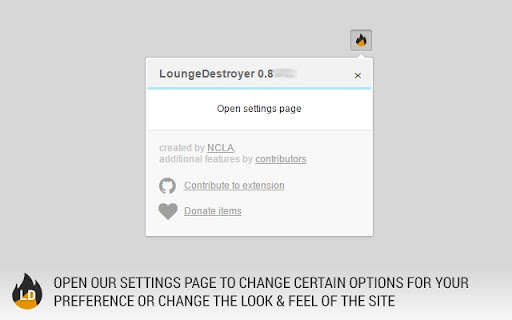
Improves the experience of CS:GO Lounge and DOTA2 Lounge
LoungeDestroyer improves the experience of browsing DOTA2 Lounge & CS:GO Lounge. Originally this was an user-script for Tampermoney and Greasemonkey, but we have decided to move on to stand-alone Chrome extension.
Features:
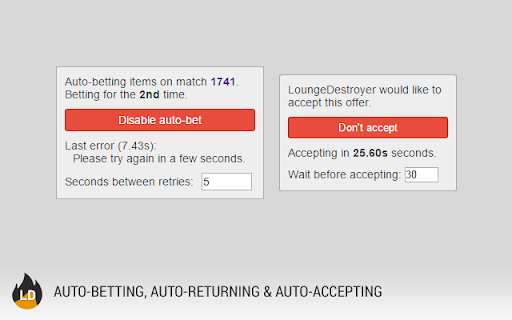
- Auto-bet/-return/-accept trade offers
- Automatically loads market prices for all items
- Redirect from wait.html to the page you intended to visit
- Steam market prices for items when you hover on an item
- Auto-bump your trade offers
- Market listing and market search links added to item pop-up
- Automatic inventory loading on error
- Cached inventories for times when API is not loading
- Notifications for new comments on trades and offers
- Notifications for new matches
- Notifications for when your returns are about to expire
- Extended trade descriptions
- Trade preview on all trades
- Statistics about your betting inventory
- Custom theme support (currently only CleanLounge by /u/farblood )
- Multiple currency support, converts site item values to your currency
- Item grouping in inventories, allowing you to separate items from betting and inventory statistics calculation
- Displays extra match info on home page and in My Bets page (best of x, match time, bet match indicator)
- Changes match start times according to your timezone
- Trade filters to mark/hide trades based on your selected keywords
- Remove/change trade offer annoying beep sound
- Trade filters
- Match filters
- Extended trade information
The code is open-source and is available on GitHub.
http://github.com/ncla/LoungeDestroyer
You can discuss about LoungeDestroyer on our subreddit.
http://reddit.com/r/loungedestroyer
Join our Steam group
http://steamcommunity.com/groups/loungedestroyer
| 分类 | 📝工作流程与规划 |
| 插件标识 | ghahcnmfjfckcedfajbhekgknjdplfcl |
| 平台 | Chrome |
| 评分 |
☆☆☆☆☆
|
| 评分人数 | |
| 插件主页 | https://chromewebstore.google.com/detail/loungedestroyer/ghahcnmfjfckcedfajbhekgknjdplfcl |
| 版本号 | 25.2.3.0 |
| 大小 | 1.28MiB |
| 官网下载次数 | 30000 |
| 下载地址 | |
| 更新时间 | 2018-08-26 00:00:00 |
CRX扩展文件安装方法
第1步: 打开Chrome浏览器的扩展程序
第2步:
在地址栏输入: chrome://extensions/
第3步: 开启右上角的【开发者模式】
第4步: 重启Chrome浏览器 (重要操作)
第5步: 重新打开扩展程序管理界面
第6步: 将下载的crx文件直接拖入页面完成安装
注意:请确保使用最新版本的Chrome浏览器