Link Extractor Chrome 插件, crx 扩展下载


Extracts all links on the current page.
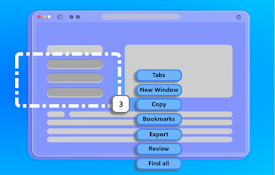
Introducing the Link Extractor - your go-to tool for effortlessly gathering all links present on any webpage.
With its intuitive functionality, Link Extractor simplifies the process of obtaining comprehensive lists of links from the current page, empowering users to efficiently navigate through web content.
No longer will you need to manually scour through pages to collect URLs. Link Extractor automates this task, swiftly capturing all links with precision and ease.
Whether you're a researcher compiling resources, a developer analyzing website structure, or simply a curious explorer seeking to catalog interesting finds, Link Extractor streamlines your workflow, saving you valuable time and effort.
Experience the convenience and efficiency of Link Extractor today, and unlock a world of seamless link extraction at your fingertips.
In our latest release - we offering new interface and functionality to download links on csv and txt files.
| 分类 | 🛠️工具 |
| 插件标识 | ghpimkkiondocgbmegeonfhldbeghbhm |
| 平台 | Chrome |
| 评分 |
★★★★☆
4.5
|
| 评分人数 | 90 |
| 插件主页 | https://chromewebstore.google.com/detail/link-extractor/ghpimkkiondocgbmegeonfhldbeghbhm |
| 版本号 | 2.2.1 |
| 大小 | 307KiB |
| 官网下载次数 | 161 |
| 下载地址 | |
| 更新时间 | 2025-01-15 00:00:00 |
CRX扩展文件安装方法
第1步: 打开Chrome浏览器的扩展程序
第2步:
在地址栏输入: chrome://extensions/
第3步: 开启右上角的【开发者模式】
第4步: 重启Chrome浏览器 (重要操作)
第5步: 重新打开扩展程序管理界面
第6步: 将下载的crx文件直接拖入页面完成安装
注意:请确保使用最新版本的Chrome浏览器