
SP Insider Chrome 插件, crx 扩展下载

SP Insider (SPI) for Chrome is a free SharePoint Discovery tool for Developers and supports SharePoint Online/Office 365, 2016 and…
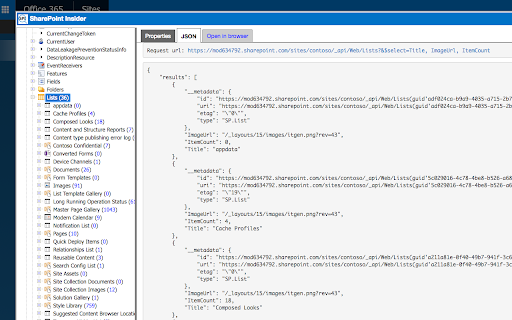
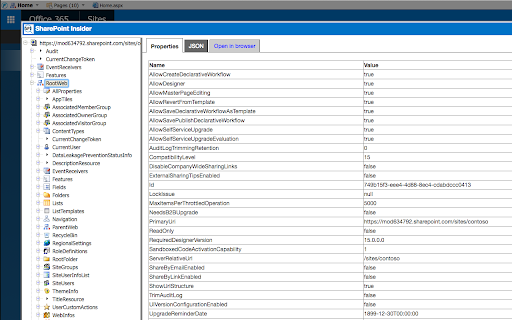
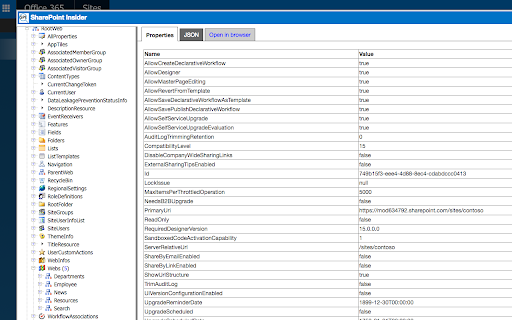
SP Insider (SPI) for Chrome is a free SharePoint Discovery tool for Developers and supports SharePoint Online/Office 365, 2016 and 2013. It runs in read-only mode so you can investigate your SharePoint Sites and explore SharePoint object properties without risking making any accidental changes. It runs standalone in the browser and doesn't need anything to be installed on the server.
To use SP Insider:
1. Add it to the the browser
2. Login to your SharePoint Site. You can navigate to a sub-site if you want to investigate that.
3. Once your site is loaded in the browser launch SharePoint Insider from the Chrome browser toolbar.
Note: If you are already on SharePoint then reload the SharePoint page after installing the extension
Now you can
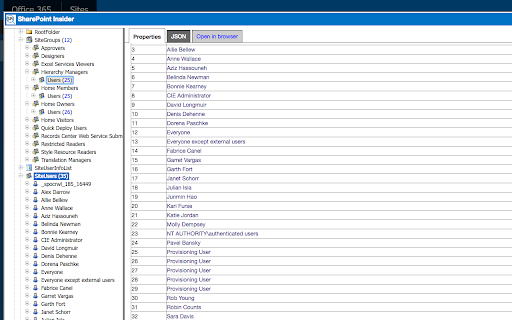
1. Explore and investigate Sharepoint sites, libraries, lists, items, features, columns, content types, pages, users, groups and plus a lot more
2. View the REST requests and JSON data.
3. Open a SharePoint location in a new browser tab
Benefits and use cases
1. No need to install/run .exe on client machine or server
2. Mac users can use it in Chrome too
3. Single sign-on experience
4. Explore, Investigate and Browser- unified experience
5. Light-weight and fast, all javascript
6. Tell us any other benefits/use you see, would love to hear
Have some fun SPIng on your SharePoint Site!
Note: SPI has just been released so there might be some issues, please report to us if you find any and we will try to fix asap. Also if you have any feedback then we will love to hear that.
Also check our other free chrome extension 'FlyView for SharePoint and Office 365 Sites' for business users and administrators (developers can use it too!)
Aurora Bits Team
| 分类 | 💻开发者工具 |
| 插件标识 | gjckpigahcbffmeofjfedlffddhfidhj |
| 平台 | Chrome |
| 评分 |
☆☆☆☆☆
|
| 评分人数 | |
| 插件主页 | https://chromewebstore.google.com/detail/sp-insider/gjckpigahcbffmeofjfedlffddhfidhj |
| 版本号 | 8.3 |
| 大小 | 283KiB |
| 官网下载次数 | 3000 |
| 下载地址 | |
| 更新时间 | 2017-06-13 00:00:00 |
CRX扩展文件安装方法
第1步: 打开Chrome浏览器的扩展程序
第2步:
在地址栏输入: chrome://extensions/
第3步: 开启右上角的【开发者模式】
第4步: 重启Chrome浏览器 (重要操作)
第5步: 重新打开扩展程序管理界面
第6步: 将下载的crx文件直接拖入页面完成安装
注意:请确保使用最新版本的Chrome浏览器