
Xirvik .torrent to seedbox uploader Chrome 插件, crx 扩展下载
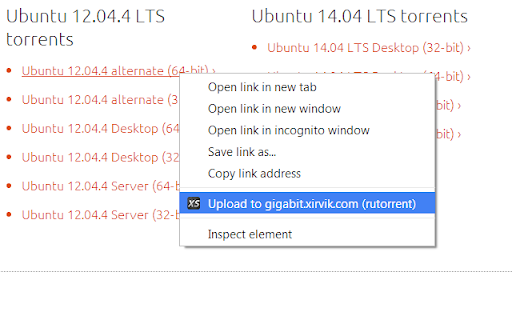
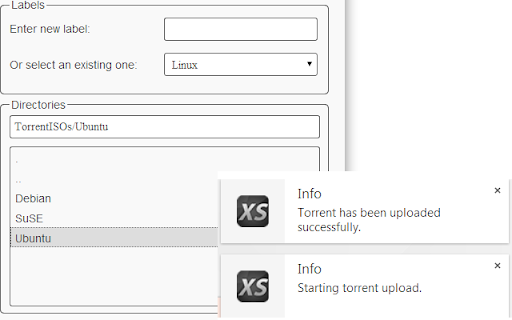
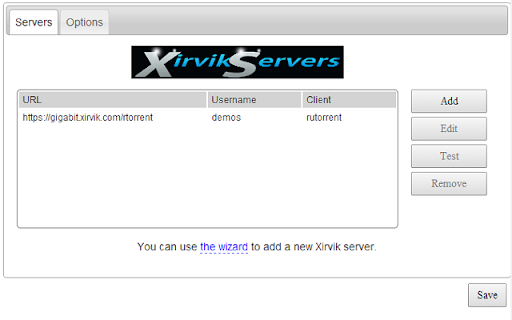
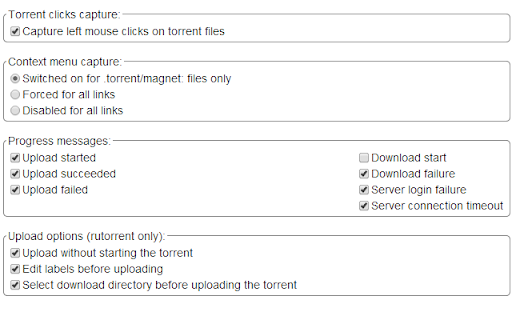
This extension adds options to .torrent files to upload them automatically to a number of popular BitTorrent clients.
This extensions allows you to upload .torrent files to your remote torrent client from Chrome, so you don't need to download the .torrent then login into the client, click upload, select the file from your computer, etc. Just click on the .torrent file and select "Upload to...".
The upload is performed by interacting with the client's web UI.
The following clients are supported:
- rtorrent (using rutorrent to handle the upload)
- utorrent
- Deluge
- torrentflux-b4rt
- qbittorrent
The extension is generic. While we test it in our specific setup it's known to work fine with default installs of the torrent clients and interfaces.
| 分类 | 📝工作流程与规划 |
| 插件标识 | gljdkkichjgocpdmiaachhlfccddcjgb |
| 平台 | Chrome |
| 评分 |
☆☆☆☆☆
|
| 评分人数 | |
| 插件主页 | https://chromewebstore.google.com/detail/xirvik-torrent-to-seedbox/gljdkkichjgocpdmiaachhlfccddcjgb |
| 版本号 | 25.2.3.0 |
| 大小 | 193KiB |
| 官网下载次数 | 2000 |
| 下载地址 | |
| 更新时间 | 2023-06-12 00:00:00 |
CRX扩展文件安装方法
第1步: 打开Chrome浏览器的扩展程序
第2步:
在地址栏输入: chrome://extensions/
第3步: 开启右上角的【开发者模式】
第4步: 重启Chrome浏览器 (重要操作)
第5步: 重新打开扩展程序管理界面
第6步: 将下载的crx文件直接拖入页面完成安装
注意:请确保使用最新版本的Chrome浏览器