
Style inspect Chrome 插件, crx 扩展下载
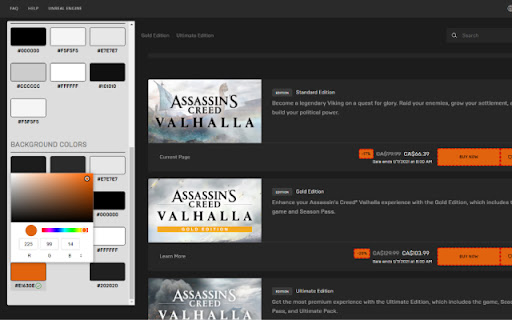
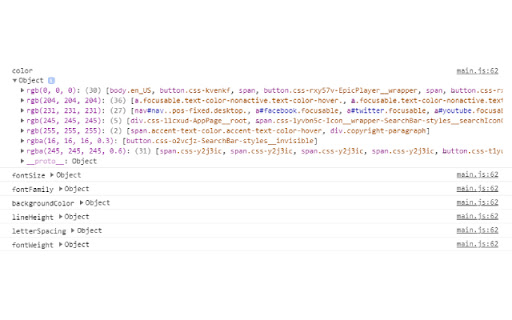
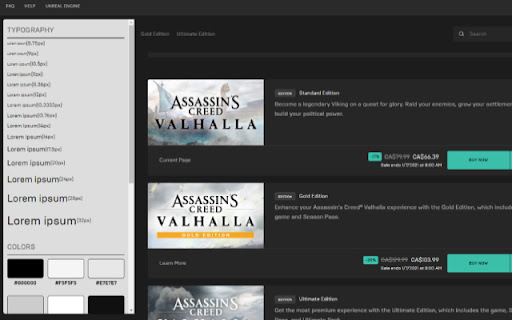
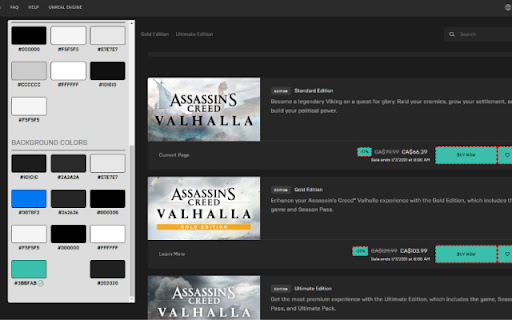
Check all unique style been used in this page
Extract all unique style like font size, font color and background color that generate into a viewable style guide for user with just one click
No more digging into code or inspect elements to try to figure out what kind style guideline has been used in this page.
Easier way to spot any unexpected color or font size been used in the page and have the ability to toggle corresponding element with highlight border
Ability to bulk update all elements that use the same color real time
More unique style data available in the console for developer to use
| 分类 | 💻开发者工具 |
| 插件标识 | glkjdigblpcpjidkmadoeceklgmlalpb |
| 平台 | Chrome |
| 评分 |
☆☆☆☆☆
|
| 评分人数 | |
| 插件主页 | https://chromewebstore.google.com/detail/style-inspect/glkjdigblpcpjidkmadoeceklgmlalpb |
| 版本号 | 8.3 |
| 大小 | 68.72KiB |
| 官网下载次数 | 143 |
| 下载地址 | |
| 更新时间 | 2021-01-05 00:00:00 |
CRX扩展文件安装方法
第1步: 打开Chrome浏览器的扩展程序
第2步:
在地址栏输入: chrome://extensions/
第3步: 开启右上角的【开发者模式】
第4步: 重启Chrome浏览器 (重要操作)
第5步: 重新打开扩展程序管理界面
第6步: 将下载的crx文件直接拖入页面完成安装
注意:请确保使用最新版本的Chrome浏览器