
Worktime Progressbar & Timer Chrome 插件, crx 扩展下载
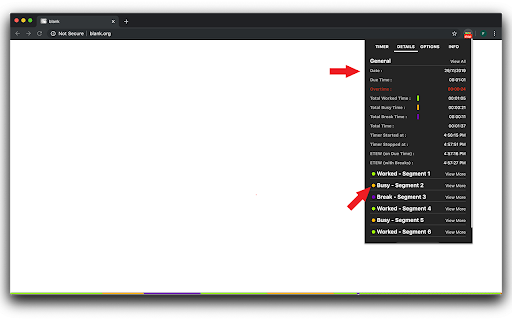
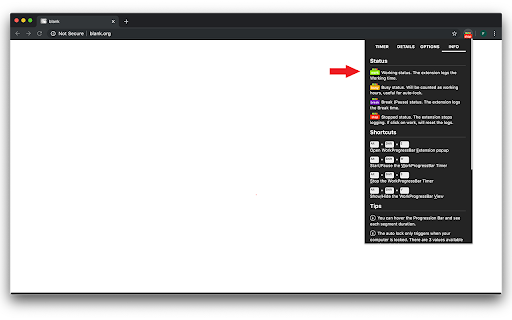
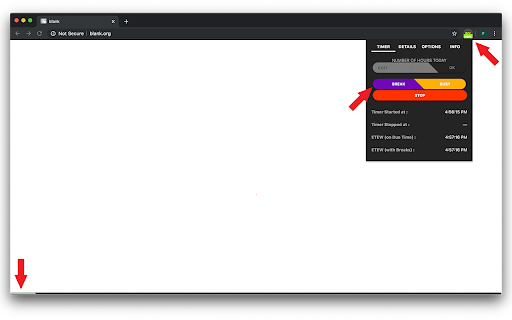
Timer with a Progress Bar that logs Working and Break times. Has autostart/auto idle break options.
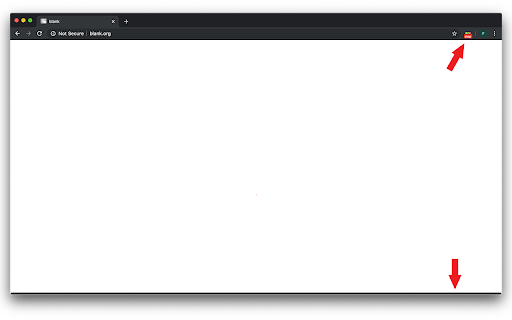
Displays a Progress Bar at the bottom of each of your favorite browser pages and logs Working, Busy and Break times.
This extension offers an elegant timer as well as a visual representation of the timer.
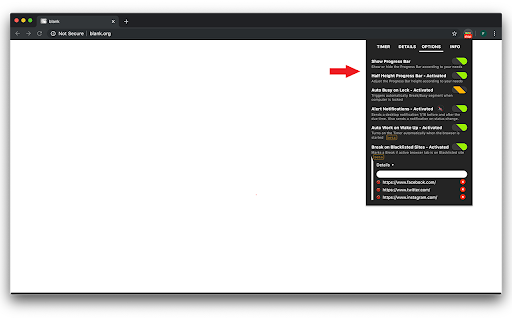
Several options are available :
- Shows or hides the progress bar
- Lets you use 8px or 4px height progress bar
- Triggers automatically either Break or Busy status when the computer is locked (browser still needs to be opened)
- Shows or hides browser notifications on status change (you can also mute or unmute the notifications' sound)
- Triggers automatically the extension when browser is opened [beta]
- Allows you to blacklist some sites to trigger automatically Break status if the active browser tab uses the banned URLs [beta]
You can also modify the status of each segment (once the timer is stopped) and export your logs in a csv file.
v1.6 (current)
---------------
- Fix auto wakeup.Was triggered for no reason after stop or reset.
- Add toggle Automatic export on stop
- Add auto stop on due time
v1.5
---------------
- Adjust volume for notifications (to 30% of max volume)
- Add origin of the segment creation in the popup details (and export)
- It's now possible to modify all segments (except last one) before stopping the timer. Last segment still needs the timer to be stopped in order to be modified.
v1.4
---------------
- Add mute/unmute notification checkbox & functionality
- Fix blacklist when going from one blacklisted site to another
v1.3
---------------
- Add blacklist switch in options
v1.2
---------------
- Custom labels on switch depending on switch state (in options)
- Add busy state to avoid auto break during meetings , etc..
- Add button to change segment status (to modify status of each segment after timer is stopped)
Known problems
---------------
- Wake up functionality is sometimes triggered automatically when the timer is stopped. Should only be triggered once and then should not be used. Might need a storage sync to fix...
| 分类 | 📝工作流程与规划 |
| 插件标识 | glnnhgopkcijakihabpkhncfjmgkooeo |
| 平台 | Chrome |
| 评分 |
☆☆☆☆☆
|
| 评分人数 | |
| 插件主页 | https://chromewebstore.google.com/detail/worktime-progressbar-time/glnnhgopkcijakihabpkhncfjmgkooeo |
| 版本号 | 25.2.3.0 |
| 大小 | 211KiB |
| 官网下载次数 | 138 |
| 下载地址 | |
| 更新时间 | 2020-01-09 00:00:00 |
CRX扩展文件安装方法
第1步: 打开Chrome浏览器的扩展程序
第2步:
在地址栏输入: chrome://extensions/
第3步: 开启右上角的【开发者模式】
第4步: 重启Chrome浏览器 (重要操作)
第5步: 重新打开扩展程序管理界面
第6步: 将下载的crx文件直接拖入页面完成安装
注意:请确保使用最新版本的Chrome浏览器