
Deadbolt Password Generator Chrome 插件, crx 扩展下载
Turn memorable phrases into strong passwords.
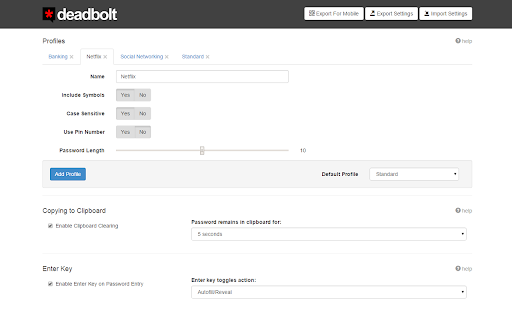
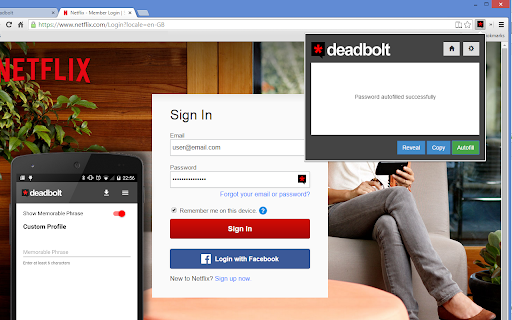
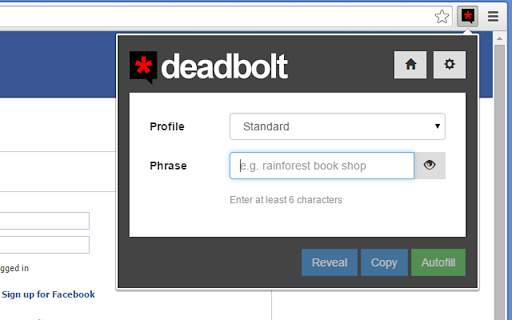
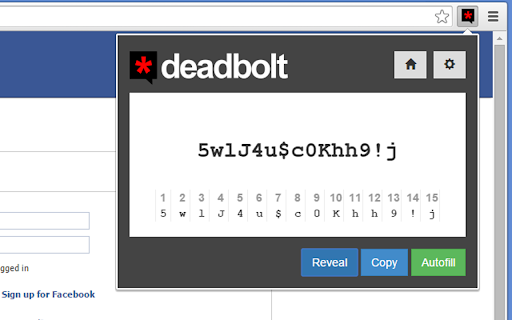
Created to combat the problem of having a different and unique password for every site, Deadbolt operates by applying a simple algorithm to a word or phrase, in order to derive the same strong password each time you enter it.
Unlike similar solutions, Deadbolt does not randomly generate the passwords requiring you to save them somewhere else, nor does it store any passwords or personal information. The only way to generate your password is to enter the same phrase again, meaning the only person with the key to generating your passwords is you.
Until there's biometrics, there's Deadbolt!
Deadbolt is available to view on GitHub - please track any issues or feedback here:
https://github.com/bittenbytailfly/deadbolt-password-generator-chrome-extension
For updates and news please follow Deadbolt Password Generator on Google+:
https://www.google.com/+DeadboltPasswordGenerator
| 分类 | 📝工作流程与规划 |
| 插件标识 | gmipahielflpaijgdkfailgmiloecolh |
| 平台 | Chrome |
| 评分 |
☆☆☆☆☆
|
| 评分人数 | |
| 插件主页 | https://chromewebstore.google.com/detail/deadbolt-password-generat/gmipahielflpaijgdkfailgmiloecolh |
| 版本号 | 5.0.1 |
| 大小 | 539KiB |
| 官网下载次数 | 170 |
| 下载地址 | |
| 更新时间 | 2015-03-11 00:00:00 |
CRX扩展文件安装方法
第1步: 打开Chrome浏览器的扩展程序
第2步:
在地址栏输入: chrome://extensions/
第3步: 开启右上角的【开发者模式】
第4步: 重启Chrome浏览器 (重要操作)
第5步: 重新打开扩展程序管理界面
第6步: 将下载的crx文件直接拖入页面完成安装
注意:请确保使用最新版本的Chrome浏览器