
Selected Text Readability Chrome 插件, crx 扩展下载
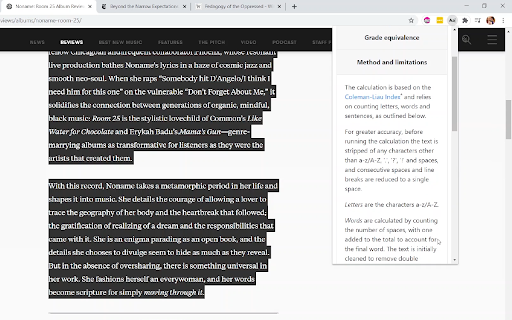

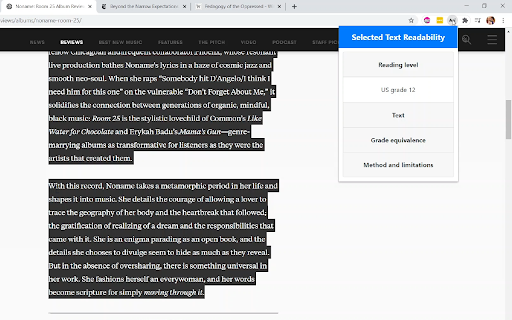
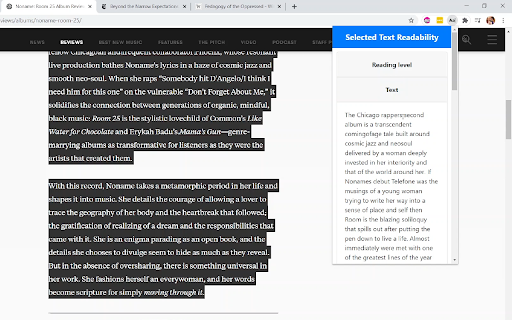
Estimate the readability of selected text
Measure the readability of selected text
** Usage**
1. Highlight some text on a webpage
2. Click the extension icon
You can see the text as analysed, as well as more information about grades, the method and limitations by clicking on the respective headings.
** Features **
- estimated US grade level required for the selected text (calculated using the Coleman-Liau Index - information on the index and alternatives is provided)
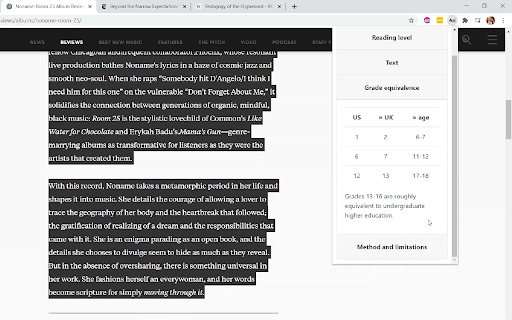
- grade range: pre-school to graduate (lowest level: "Before US grade 1"; highest level: "Grade 16+"; grade 16 is roughly equivalent to the final year of an undergraduate degree)
- non-US equivalence guide: rough guide to how US grades map to ages and UK school years
GitHub repository: https://github.com/yndajas/selected-text-readability
| 分类 | ♿无障碍访问 |
| 插件标识 | gmmgeofdbimelpnapecnbdckopibaecl |
| 平台 | Chrome |
| 评分 |
☆☆☆☆☆
|
| 评分人数 | |
| 插件主页 | https://chromewebstore.google.com/detail/selected-text-readability/gmmgeofdbimelpnapecnbdckopibaecl |
| 版本号 | 1.0 |
| 大小 | 12.36KiB |
| 官网下载次数 | 24 |
| 下载地址 | |
| 更新时间 | 2020-11-17 00:00:00 |
CRX扩展文件安装方法
第1步: 打开Chrome浏览器的扩展程序
第2步:
在地址栏输入: chrome://extensions/
第3步: 开启右上角的【开发者模式】
第4步: 重启Chrome浏览器 (重要操作)
第5步: 重新打开扩展程序管理界面
第6步: 将下载的crx文件直接拖入页面完成安装
注意:请确保使用最新版本的Chrome浏览器