
Message Templates Chrome 插件, crx 扩展下载

Custom templates for messages, Gmail, Facebook.
Write emails faster! Increase your productivity with templates and keyboard shortcuts on Gmail and Facebook.
OrganizedMindClub enables you to save time writing emails by creating your own snippets and templates. Try it now and start writing your emails faster!
★ Keyboard shortcut completion
You’re always ending your emails with “Please find the document attached to this email.”? With keyboard completion, you can type att+TAB and get the same result!
★ Create your own templates
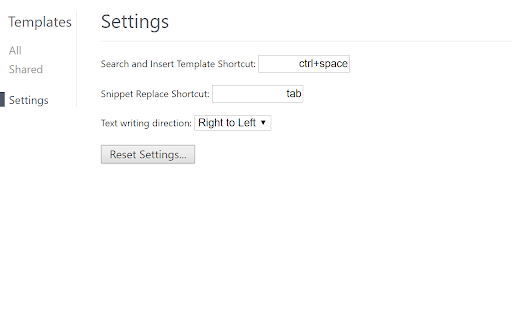
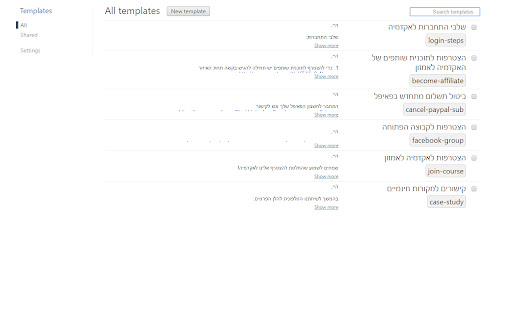
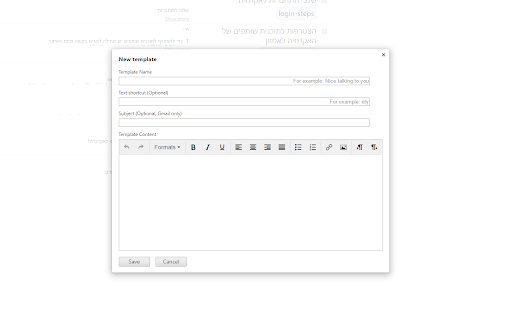
You find yourself writing repetitive pieces of text in your emails? Make it a template! OrganizedMindClub enables you to create your own templates and shortcuts. So if you write the same content over and over, you now can use a shortcut for it and answer an email within seconds. (The default Search and Insert Template Shortcut is Ctrl+Space but you can easily change it).
★ Template text writing direction
Choose your direction! this extension supports both right to left AND left to right text direction.
★ Share templates with your team (FREE)
Communication is collaborative by definition. OrganizedMindClub enables you to share templates with your team so when the template changes, everyone is still on the same page.
★ Autocomplete dialog
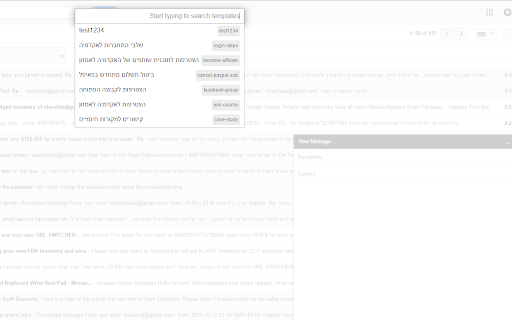
You don’t want to remember your shortcuts? Search and insert templates right inside the Compose box.
★ Supports multiple computers
Using multiple computers with the same google account? no problem! our tool will sync all of your existing templates with all of your computers. (Only need to install the extension).
➤ Specifically targeted at: Sales, Customer Support, HR
➤ Currently supported
* Gmail
* Facebook
* Yahoo Mail
* Fastmail
* Linkedin
* Uservoice
* Much more...
Find out more at: http://www.organizedmindclub.com/
Your feedback is welcome at [email protected]
Enjoy!
| 分类 | 📝工作流程与规划 |
| 插件标识 | gnfkfajglnnkaaiaaeheiinmcmniecni |
| 平台 | Chrome |
| 评分 |
☆☆☆☆☆
|
| 评分人数 | |
| 插件主页 | https://chromewebstore.google.com/detail/message-templates/gnfkfajglnnkaaiaaeheiinmcmniecni |
| 版本号 | 25.2.3.0 |
| 大小 | 462KiB |
| 官网下载次数 | 1000 |
| 下载地址 | |
| 更新时间 | 2019-03-08 00:00:00 |
CRX扩展文件安装方法
第1步: 打开Chrome浏览器的扩展程序
第2步:
在地址栏输入: chrome://extensions/
第3步: 开启右上角的【开发者模式】
第4步: 重启Chrome浏览器 (重要操作)
第5步: 重新打开扩展程序管理界面
第6步: 将下载的crx文件直接拖入页面完成安装
注意:请确保使用最新版本的Chrome浏览器