
Browser Notes Chrome 插件, crx 扩展下载
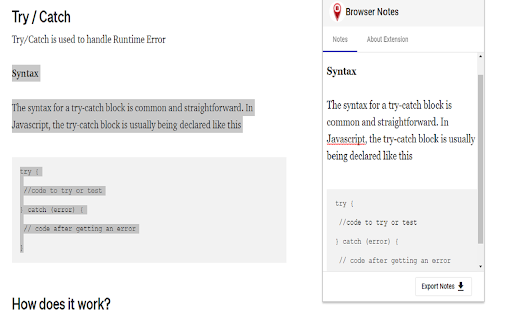
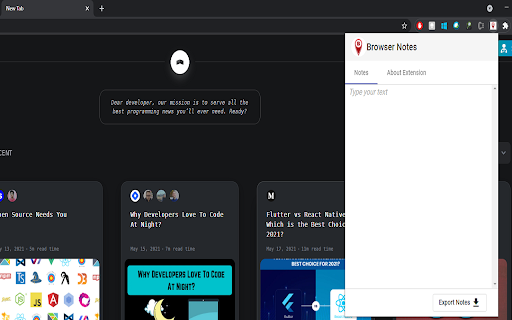
You can take notes, which includes text, lists, links & images. We can export our notes in the form of html..
Browser notes app for your browser. It is easy to make notes of your web surfing & customize your notes.
**Welcome to Browser Notes.
Here's what you can do with this extension
1. Type the text of the note.
2. You can format the noted text if you want.
3. You can make use of keyboard shortcuts to format the text for bold, italics & underline.
4. When you've finished making notes, you can simply export your notes in the form of single
html file.
**Features:
Here are some eye-catchy features too...
1. No need to worry about the pasted format, this extension pastes the content with the same
styles, from which you've copied.
2. Nah! you don't need to hit ctrl + s to save for every thing you've noted here. Auto save is
included.
3. Auto hyperlinks detection too.
**Important Note :
We don't save any of your data, This extension is complete client side & it don't make any API calls and don't have any backend.
All your notes will be saved in the browser's storage only. So we don't provide any back-up.
Hurray!! No need to worry about your privacy
Upcoming Highlights:
1. Save as PDF
2. Save as Docx
3. Re-size of pop-up
| 分类 | 📝工作流程与规划 |
| 插件标识 | goejhefllnefpaocmedbdmfnekhnhien |
| 平台 | Chrome |
| 评分 |
☆☆☆☆☆
|
| 评分人数 | |
| 插件主页 | https://chromewebstore.google.com/detail/browser-notes/goejhefllnefpaocmedbdmfnekhnhien |
| 版本号 | 25.2.3.0 |
| 大小 | 306KiB |
| 官网下载次数 | 117 |
| 下载地址 | |
| 更新时间 | 2021-05-19 00:00:00 |
CRX扩展文件安装方法
第1步: 打开Chrome浏览器的扩展程序
第2步:
在地址栏输入: chrome://extensions/
第3步: 开启右上角的【开发者模式】
第4步: 重启Chrome浏览器 (重要操作)
第5步: 重新打开扩展程序管理界面
第6步: 将下载的crx文件直接拖入页面完成安装
注意:请确保使用最新版本的Chrome浏览器