
UltraFM Chrome 插件, crx 扩展下载
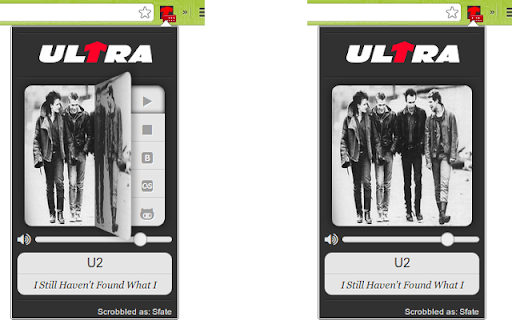
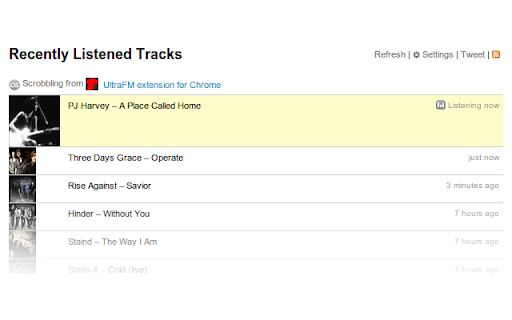
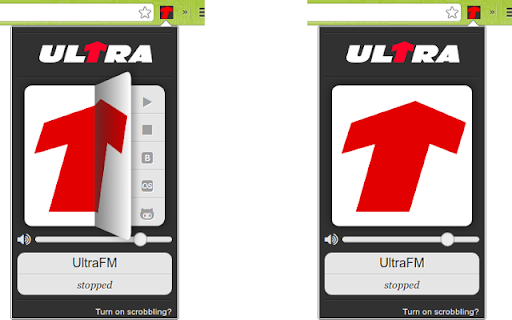
Listen UltraFM station from browser. Tiny extention that allows you to listen UltraFM(radioultra.ru) from Chrome browser.
Version 0.2.1.2
---------------------------------------------------
bugfix: cover load issues
bugfix: stream connection issues
uifix: replace vk with spotify
uifix: upd badge colors
Version 0.2.1.0
---------------------------------------------------
bugfix: upd current song info from official source
uifix: minor ui improvements
Version 0.2.0.8
---------------------------------------------------
release: remove non-required permission [tabs]
Version 0.2.0.7
---------------------------------------------------
- bugfix: fetch current song and display it's cover
- bugfix: radio stream quality
Version 0.2.0.6
---------------------------------------------------
- bugfix: correct stream endpoint (thx to https://github.com/ruLait)
Version 0.2.0.5
---------------------------------------------------
- uifix: song cover preload
- uifix: fetch autocorrected lastfm data for song
- bugfix: minor speed improvements
- bugfix: consider volume slider value at browser restart
Version 0.2.0.4
---------------------------------------------------
- bugfix: fix last.fm callback on authorization
- bugfix: reconnect on stream stuck
Version 0.2.0.3
---------------------------------------------------
- bugfix: use proper config for scrobbling
Version 0.2.0.2
---------------------------------------------------
- bugfix: fix info fetch from icecast-server
Version 0.2.0.1
---------------------------------------------------
- bugfix: fix scrobbling switch-on for all last.fm domains
Version 0.2.0.0
---------------------------------------------------
- feature: volume slider
- feature: last.fm scrobbling
- bugfix: code clean-up and app speed-up
Version 0.1.9.1
---------------------------------------------------
- bugfix: force connect to stream
- bugfix: cache only current stream
- uifix: removed delay when popup opens
- uifix: prefetch artist cover
- uifix: fix artist cover appearance logic
Version 0.1.9.0
---------------------------------------------------
- uifix: redesign
- uifix: smooth ui
Version 0.1.8.0
---------------------------------------------------
- bugfix: fixed info grabber about current playing track
- bugfix: fixed connection to stream
- uifix: fixed state change after play button press
- uifix: removed info block about lower bitrate
- uifix: added spinner for indication about connection
Version 0.1.7.2
---------------------------------------------------
- fcuk: lower bitrate to 128kbps
Version 0.1.7.1
---------------------------------------------------
- uifix: keypress animation and handler
Version 0.1.7
---------------------------------------------------
- bugfix: current track cover appearance
Version 0.1.6
---------------------------------------------------
- uifix: full redesign
- feature: show current track cover
Version 0.1.5.2
---------------------------------------------------
- bugfix: show correct current track info after unpaused
Version 0.1.5.1
---------------------------------------------------
- uifix: more accuracy track info view
Version 0.1.5
---------------------------------------------------
- fix: display current track at first play
Version 0.1.4
---------------------------------------------------
- bugfix: fixed xhr-request + simplified structure
(current playing song shows up!!!)
Version 0.1.3
---------------------------------------------------
- feature: show current streaming song
Version 0.1.2
---------------------------------------------------
- bugfix: minor fix with popup and background pages
Version 0.1.1
---------------------------------------------------
- bugfix: use new manifest format
Version 0.1
---------------------------------------------------
- init: first working release
| 分类 | 🎉趣味休闲 |
| 插件标识 | gojiifmihkaaeljpojjebnneaaklghil |
| 平台 | Chrome |
| 评分 |
☆☆☆☆☆
|
| 评分人数 | |
| 插件主页 | https://chromewebstore.google.com/detail/ultrafm/gojiifmihkaaeljpojjebnneaaklghil |
| 版本号 | 3.0.0.18 |
| 大小 | 79.73KiB |
| 官网下载次数 | 103 |
| 下载地址 | |
| 更新时间 | 2022-06-29 00:00:00 |
CRX扩展文件安装方法
第1步: 打开Chrome浏览器的扩展程序
第2步:
在地址栏输入: chrome://extensions/
第3步: 开启右上角的【开发者模式】
第4步: 重启Chrome浏览器 (重要操作)
第5步: 重新打开扩展程序管理界面
第6步: 将下载的crx文件直接拖入页面完成安装
注意:请确保使用最新版本的Chrome浏览器