
UCSD Schedule to Calendar Chrome 插件, crx 扩展下载

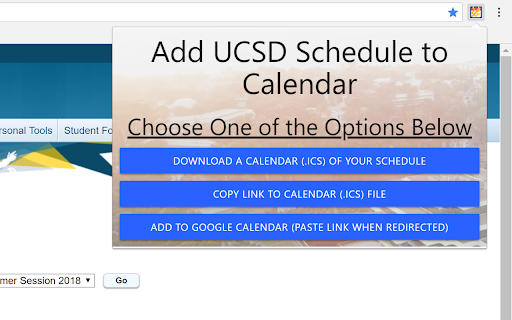
Add your UCSD Schedule from WebReg to your own Calendar using a .ics file.
This extension allows UC San Diego students to convert their schedule in WebReg to a .ics file. This file can then be used with any calendar client to store their quarter schedule with a link provided to add to Google Calendar. All classes appear at the appropriate times and finals appear on the appropriate days for the quarter. Clicking on the icon will redirect to webreg and can redirect to current quarter by default.
This extension is set to work until 2023 and does not work with Special Summer Session courses.
UCSD Schedule to Calendar is open source and code can be found in the link below.
Updates:
Version 0.0.0.8
Fixed bug with limiting number of courses
Version 0.0.0.7
Added anonymous authentication to add read/write permissions to schedules folder by same user.
Version 0.0.0.6
Added in complete functionality for incognito mode. Fixed bug for schedules including classes without times.
Version 0.0.0.5
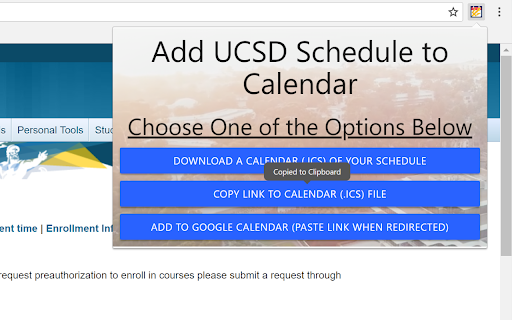
Fixed bugs with copy link button. Changed colors
Version 0.0.0.4
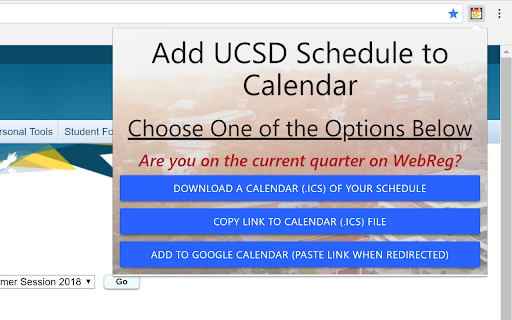
On icon click redirect to webreg, added toggle to go to current quarter or not, added local storage saving for calendar to reduce server calls and storage on server
Version 0.0.0.3
Updated Permissions to only extension to work on act.ucsd.edu.
Redirects to current or upcoming quarter on WebReg when clicking icon.
Version 0.0.0.2
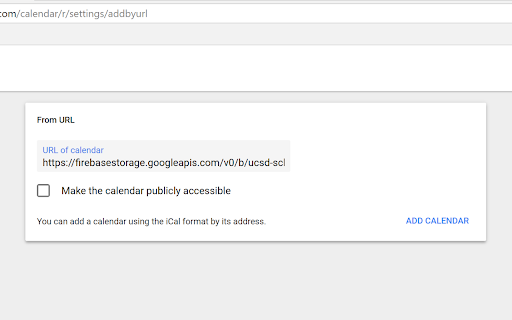
Added Link to Copy Calendar and import into any client through URL
Changed Google Calendar Button to reduce button clicks
| 分类 | 📝工作流程与规划 |
| 插件标识 | haafakimhdpglinagaadlgebflifeiho |
| 平台 | Chrome |
| 评分 |
☆☆☆☆☆
|
| 评分人数 | |
| 插件主页 | https://chromewebstore.google.com/detail/ucsd-schedule-to-calendar/haafakimhdpglinagaadlgebflifeiho |
| 版本号 | 25.2.3.0 |
| 大小 | 828KiB |
| 官网下载次数 | 413 |
| 下载地址 | |
| 更新时间 | 2018-04-11 00:00:00 |
CRX扩展文件安装方法
第1步: 打开Chrome浏览器的扩展程序
第2步:
在地址栏输入: chrome://extensions/
第3步: 开启右上角的【开发者模式】
第4步: 重启Chrome浏览器 (重要操作)
第5步: 重新打开扩展程序管理界面
第6步: 将下载的crx文件直接拖入页面完成安装
注意:请确保使用最新版本的Chrome浏览器