
NetBeans Connector Chrome 插件, crx 扩展下载
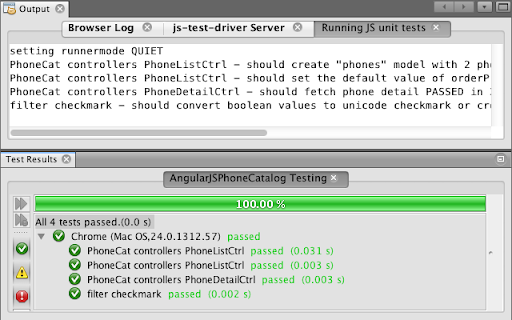
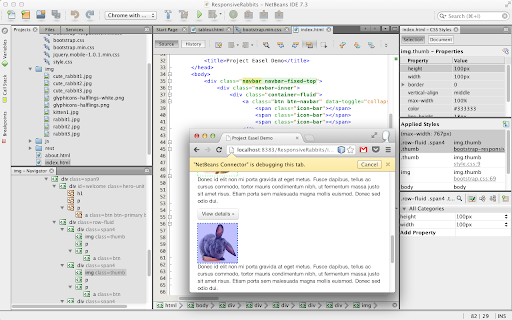
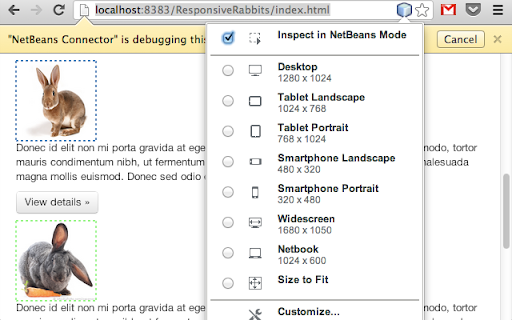
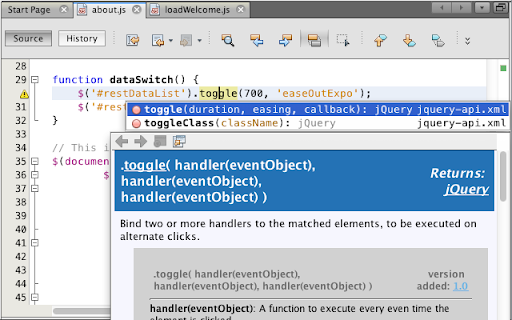
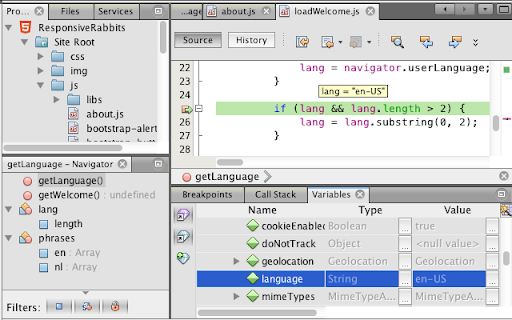
The NetBeans Connector provides deep integration between the award winning NetBeans IDE and the Google Chrome browser.
NetBeans IDE features a complete set of development tools for JavaScript and HTML5, including code editing, debugging, live styling, development with iOS and Android devices, and more. The NetBeans Connector for Chrome facilitates the tight integration between the two.
With this integration, comes the ability to:
* Refresh on Save
* Live DOM navigation from within the IDE itself
* Bi-directional element inspection. Click in the browser, see it in the IDE, and vice-versa
* JavaScript debugging of the application using Remote WebKit APIs
* Visual CSS Style editing of all page elements, including JavaScript generated elements
* Screen resizing to view your application at various pre-defined sizes (Smartphone, Tablet, etc.), or sizes that you can define yourself
* Network monitoring for web services and Web Socket traffic
| 分类 | 💻开发者工具 |
| 插件标识 | hafdlehgocfcodbgjnpecfajgkeejnaa |
| 平台 | Chrome |
| 评分 |
☆☆☆☆☆
|
| 评分人数 | |
| 插件主页 | https://chromewebstore.google.com/detail/netbeans-connector/hafdlehgocfcodbgjnpecfajgkeejnaa |
| 版本号 | 21 |
| 大小 | 102KiB |
| 官网下载次数 | 200000 |
| 下载地址 | |
| 更新时间 | 2015-09-09 00:00:00 |
CRX扩展文件安装方法
第1步: 打开Chrome浏览器的扩展程序
第2步:
在地址栏输入: chrome://extensions/
第3步: 开启右上角的【开发者模式】
第4步: 重启Chrome浏览器 (重要操作)
第5步: 重新打开扩展程序管理界面
第6步: 将下载的crx文件直接拖入页面完成安装
注意:请确保使用最新版本的Chrome浏览器