
ReCaptcha Solver Chrome 插件, crx 扩展下载
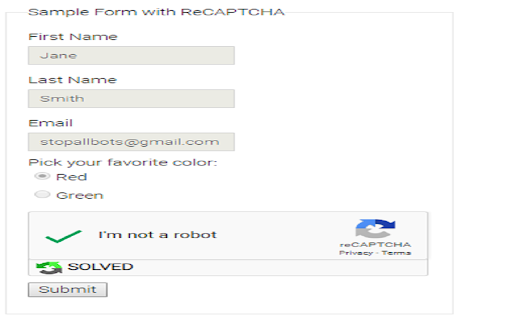
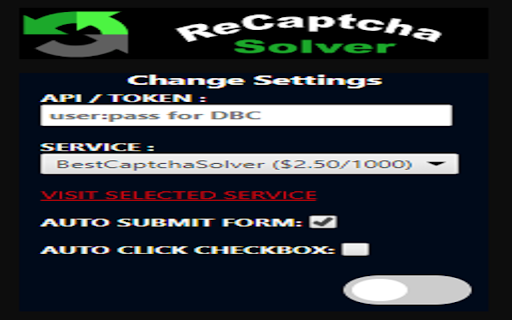

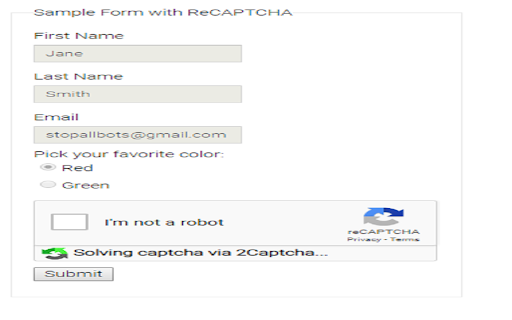
Verify Google ReCaptcha V2 automatically with solving services
Verify google ReCaptcha automatically with 2captcha, DeathByCaptcha, ImageTyperz, Anti-Captcha, BestCaptchaSolver And EndCaptcha
Without API or TOKEN key it won't work!!
**Migrated new security model from Chrome 85 (https://groups.google.com/a/chromium.org/d/msg/chromium-extensions/aCd_OgX_aSw/wE6FqPgaAQAJ)
**Fixed a bug for EndCaptcha.com
to get your API key you need create account on one of listed solving service
To contribute me
https://2captcha.com?from=835877
http://getcaptchasolution.com/pkzgboxjir
https://bestcaptchasolver.com/ref/5c2651aaa515591e92a8d87e
| 分类 | 💻开发者工具 |
| 插件标识 | hapgiopokcmcnjmakciaeaocceodcjdn |
| 平台 | Chrome |
| 评分 |
☆☆☆☆☆
|
| 评分人数 | |
| 插件主页 | https://chromewebstore.google.com/detail/recaptcha-solver/hapgiopokcmcnjmakciaeaocceodcjdn |
| 版本号 | 8.3 |
| 大小 | 153KiB |
| 官网下载次数 | 10000 |
| 下载地址 | |
| 更新时间 | 2021-01-01 00:00:00 |
CRX扩展文件安装方法
第1步: 打开Chrome浏览器的扩展程序
第2步:
在地址栏输入: chrome://extensions/
第3步: 开启右上角的【开发者模式】
第4步: 重启Chrome浏览器 (重要操作)
第5步: 重新打开扩展程序管理界面
第6步: 将下载的crx文件直接拖入页面完成安装
注意:请确保使用最新版本的Chrome浏览器