
CapTube (Dual Captions for YouTube) Chrome 插件, crx 扩展下载
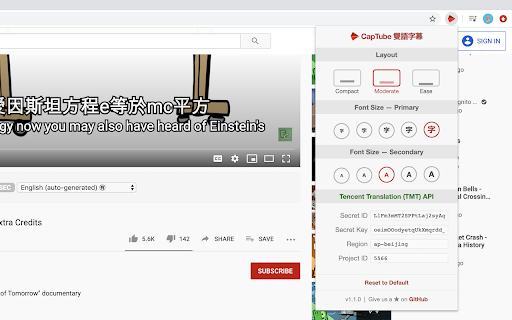
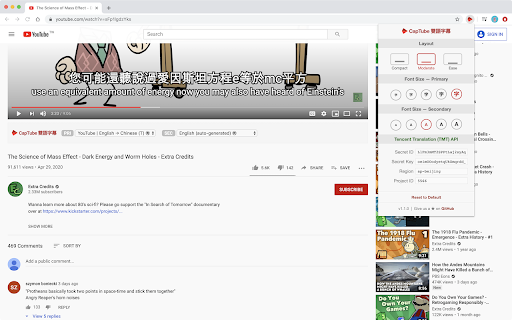
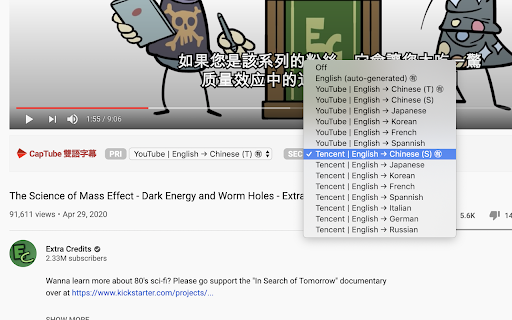
Dual subtitles with AI-enabled translations
Dual captions for YouTube || YouTube 雙語字幕
• 整合騰訊翻譯 (Support Tencent Translation)
• 整合 DeepL 翻譯 (Support DeepL Translation)
未來改版預計提供更彈性設定(語言、顏色、…)
Rich options (flexible languages, color, background, etc) is on the way...
----------------
本套件為開源專案 (Open Source on GitHub)
https://github.com/dannvix/CapTube
----------------
使用第三方翻譯服務(如騰訊及 DeepL)需自行申請 API Keys
API keys required for third-party translations (Tencent, DeepL, etc)
| 分类 | 📝工作流程与规划 |
| 插件标识 | hbhkmnepjaoiamapfdbhpkjendeeegbb |
| 平台 | Chrome |
| 评分 |
☆☆☆☆☆
|
| 评分人数 | |
| 插件主页 | https://chromewebstore.google.com/detail/captube-dual-captions-for/hbhkmnepjaoiamapfdbhpkjendeeegbb |
| 版本号 | 88.0 |
| 大小 | 70.8KiB |
| 官网下载次数 | 1000 |
| 下载地址 | |
| 更新时间 | 2020-05-13 00:00:00 |
CRX扩展文件安装方法
第1步: 打开Chrome浏览器的扩展程序
第2步:
在地址栏输入: chrome://extensions/
第3步: 开启右上角的【开发者模式】
第4步: 重启Chrome浏览器 (重要操作)
第5步: 重新打开扩展程序管理界面
第6步: 将下载的crx文件直接拖入页面完成安装
注意:请确保使用最新版本的Chrome浏览器