
Web Style Grabber Chrome 插件, crx 扩展下载
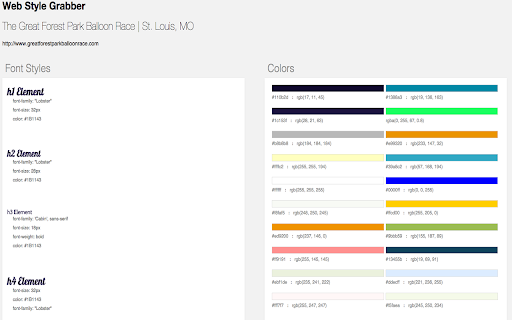
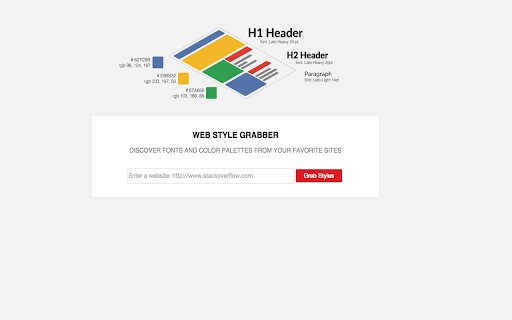
Grab fonts and colors from the website you're currently visiting at the click of a button.
All you have to do is visit a website, and click on the extension thumbnail, and the plug-in does the rest.
We created this extension mainly for web designers. We wanted to make it easy for them to get fonts and colors from a website without having to tediously inspect each element to get them. It's meant to generate inspiration and ideas based on other website's styles.
Of course, it's not just for designers. Anyone that is curious or has a use for it is welcome to use it.
Version 2.0.1
Minor bug fixes
Version 2.0
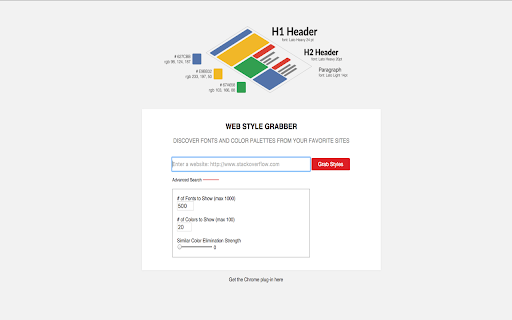
Able to choose the amount of fonts and colors you want displayed.
You can change a color elimination strength bar to eliminate similar colors. The higher the bar the colors displayed will be less and less similar to each other.
Changed main description
Notes:
There is going to be a lag time between the site update and the extension update because Chrome rolls out updates every few ours and if the site is updated before the extension the extension will not work.
Version 1.1
Name and description update
Version 1.0
Launched
| 分类 | 💻开发者工具 |
| 插件标识 | hbodpjgiceemnkiiihclopbckibcnaim |
| 平台 | Chrome |
| 评分 |
☆☆☆☆☆
|
| 评分人数 | |
| 插件主页 | https://chromewebstore.google.com/detail/web-style-grabber/hbodpjgiceemnkiiihclopbckibcnaim |
| 版本号 | 8.3 |
| 大小 | 16.2KiB |
| 官网下载次数 | 406 |
| 下载地址 | |
| 更新时间 | 2016-02-19 00:00:00 |
CRX扩展文件安装方法
第1步: 打开Chrome浏览器的扩展程序
第2步:
在地址栏输入: chrome://extensions/
第3步: 开启右上角的【开发者模式】
第4步: 重启Chrome浏览器 (重要操作)
第5步: 重新打开扩展程序管理界面
第6步: 将下载的crx文件直接拖入页面完成安装
注意:请确保使用最新版本的Chrome浏览器