
eePDF Chrome 插件, crx 扩展下载
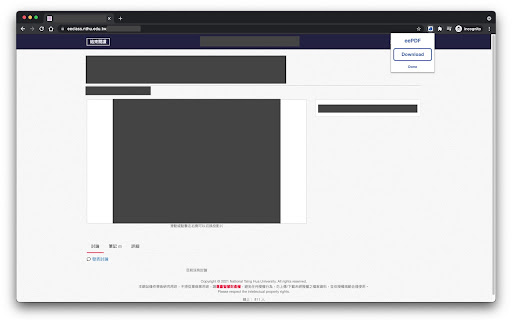
Download slides on NTHU eeclass
NTHU eeclass (https://eeclass.nthu.edu.tw/) is the new learning platform used in NTHU. Most class materials are available to download. However, download permissions are closed for some slides. This chrome extension enables you to download them directly.
Function:
• Download slides in PDF format (converted from image)
• No user data will be collected.
Usage:
• Go to the page of class material (https://eeclass.nthu.edu.tw/media/doc/*)
• For class materials without a download button, simply click Download in the eePDF popup page.
eePDF is licensed under the MIT License: https://github.com/engine210/eepdf
| 分类 | ♿无障碍访问 |
| 插件标识 | hccamljdahhkmmliblphcafgifhkmedi |
| 平台 | Chrome |
| 评分 |
☆☆☆☆☆
|
| 评分人数 | |
| 插件主页 | https://chromewebstore.google.com/detail/eepdf/hccamljdahhkmmliblphcafgifhkmedi |
| 版本号 | 2.19.1 |
| 大小 | 231KiB |
| 官网下载次数 | 489 |
| 下载地址 | |
| 更新时间 | 2021-09-23 00:00:00 |
CRX扩展文件安装方法
第1步: 打开Chrome浏览器的扩展程序
第2步:
在地址栏输入: chrome://extensions/
第3步: 开启右上角的【开发者模式】
第4步: 重启Chrome浏览器 (重要操作)
第5步: 重新打开扩展程序管理界面
第6步: 将下载的crx文件直接拖入页面完成安装
注意:请确保使用最新版本的Chrome浏览器