
Self-stick notes Chrome 插件, crx 扩展下载
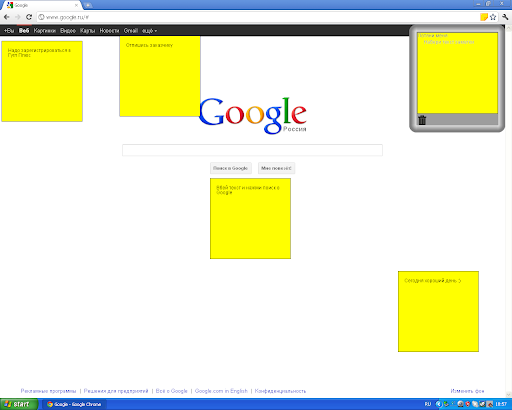
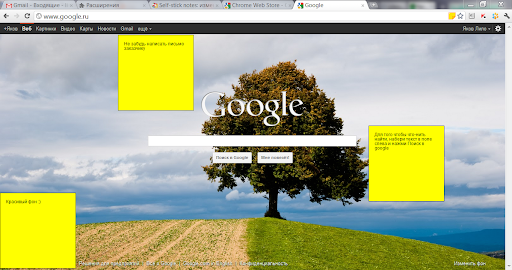
You can use self-stick notes on any page
This extension would open the world where you don’t need to remember tones of information without risk to forget or overlook something. All you need - is self-stick removable notes on the web-pages. The self-stick note could be carried to any spot of a web-page. It is also possible to remove the chosen notes or all at once.
This would help those who are just taking the first steps in the world of Internet. Beginners are usually writing down the sequence of actions in a notepad. Now they may do this on the screen!
Nowadays more users have wide screen monitors while a lot of the websites have been developed for standard monitors, so unused space on the screen could become useful with this extension. For those using paper self-stick removable notes on a frame of monitor there are the opportunity to relocate it inside. :)
Self-stick removable notes could be the reminders in your mailbox to answer the read email or drop a hint that it’s time to get back to business.
| 分类 | 🎉趣味休闲 |
| 插件标识 | hcdihnnnfbdeinkamogggghnmcfaebca |
| 平台 | Chrome |
| 评分 |
☆☆☆☆☆
|
| 评分人数 | |
| 插件主页 | https://chromewebstore.google.com/detail/self-stick-notes/hcdihnnnfbdeinkamogggghnmcfaebca |
| 版本号 | 0.104.0.1 |
| 大小 | 84.58KiB |
| 官网下载次数 | 5000 |
| 下载地址 | |
| 更新时间 | 2013-11-09 00:00:00 |
CRX扩展文件安装方法
第1步: 打开Chrome浏览器的扩展程序
第2步:
在地址栏输入: chrome://extensions/
第3步: 开启右上角的【开发者模式】
第4步: 重启Chrome浏览器 (重要操作)
第5步: 重新打开扩展程序管理界面
第6步: 将下载的crx文件直接拖入页面完成安装
注意:请确保使用最新版本的Chrome浏览器