
Yggdrasil on ChromeOS Chrome 插件, crx 扩展下载
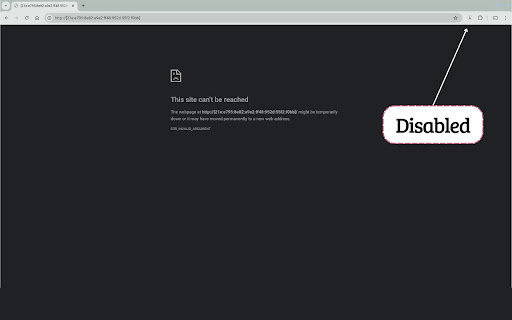
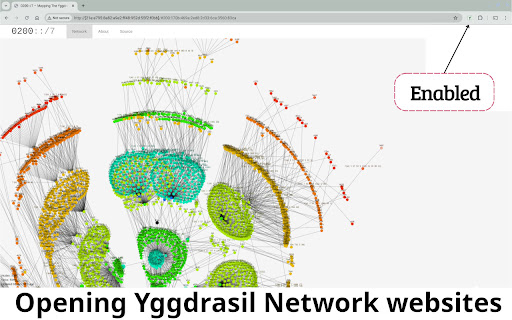
Access the Yggdrasil network on ChromeOS.
????????:
This Chrome extension is designed specifically for ChromeOS/Linux users to seamlessly access the Yggdrasil Network, an innovative, decentralized, and secure network. By configuring your browser to route specific network requests through Yggstack (separately installed), this extension allows browser access to the Yggdrasil Network.
This is the companion Chrome extension for an open source install script:
https://github.com/perguth/yggdrasil-chromeos
All required installation steps are available in this description here:
????????? ?????????????:
1. ???????? ????????????:
- The accompanying GitHub script installs Yggstack on your ChromeOS device. It is configured to automatically start as a systemd service, ensuring it runs in the background without user intervention.
- Yggstack acts as a local proxy server set to listen on localhost port 1080 and will connect to the Yggdrasil Network through https://ygg.thingylabs.io
2. ?????? ?????????:
- The extension modifies Chrome's network settings to direct internet traffic from addresses within the Yggdrasil network range (0200::/7) through the Yggstack proxy. This rerouting is key to accessing the network securely and efficiently.
- A toggle icon in the browser toolbar provides a user interface to activate or deactivate the proxy functionality of the extension.
???????????? ????????????:
1. ??????? ??? ?????? ????????? (or manually via Github)
2. ??????? ????????:
Execute the accompanying setup script from the GitHub repository to install Yggstack on your ChromeOS device. This script configures Yggstack to listen as a proxy on port 1080. Run the following command in your terminal:
```
bash -c "$(curl -fsSL https://raw.githubusercontent.com/perguth/yggdrasil-chromeos/master/setup.sh)"
```
??????? ???????:
- After installation, ensure that Linux (Beta) is running on your ChromeOS device.
- Click the extension icon to toggle connection to the Yggdrasil Network. When turned on, it will securely forward your browser's traffic to Yggstack.
- Explore services available on the Yggdrasil Network starting with ⚡ ygg-only.thingylabs.io
???????
For support, updates, or to contribute to the development, please visit our GitHub page or engage with the Yggdrasil Network community at:
https://matrix.to/#/#yggdrasil:matrix.org
(The picture shows a snapshot of the Yggdrasil Network connection fallback map.)
| 分类 | 💬沟通 |
| 插件标识 | hcgljgobhoaeojnhikfmnhdpmgbmflec |
| 平台 | Chrome |
| 评分 |
☆☆☆☆☆
|
| 评分人数 | |
| 插件主页 | https://chromewebstore.google.com/detail/yggdrasil-on-chromeos/hcgljgobhoaeojnhikfmnhdpmgbmflec |
| 版本号 | 88 |
| 大小 | 128KiB |
| 官网下载次数 | 58 |
| 下载地址 | |
| 更新时间 | 2024-05-03 00:00:00 |
CRX扩展文件安装方法
第1步: 打开Chrome浏览器的扩展程序
第2步:
在地址栏输入: chrome://extensions/
第3步: 开启右上角的【开发者模式】
第4步: 重启Chrome浏览器 (重要操作)
第5步: 重新打开扩展程序管理界面
第6步: 将下载的crx文件直接拖入页面完成安装
注意:请确保使用最新版本的Chrome浏览器