
iBROWSE Chrome 插件, crx 扩展下载

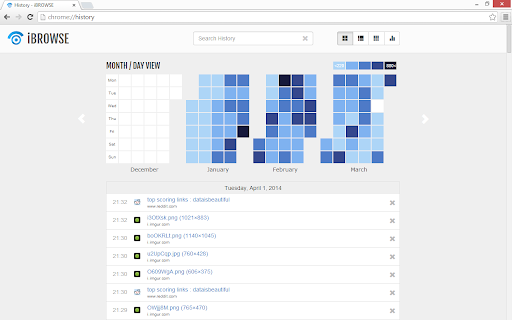
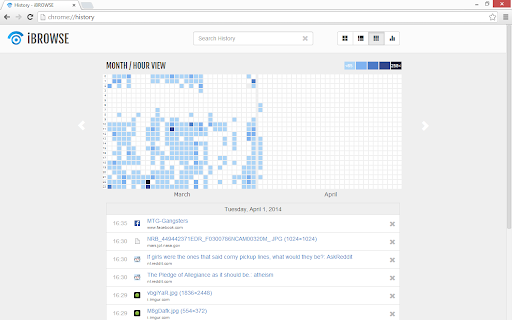
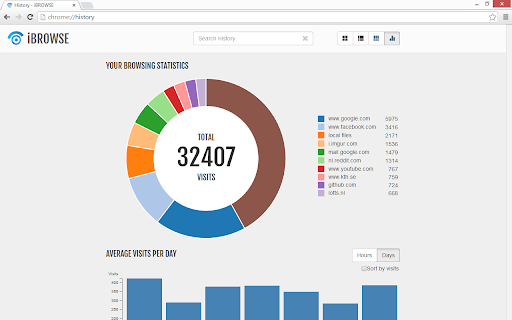
Search your history using the calendar visualization, and get keen insights into your browsing behaviour. Replaces normal History.
Are you also annoyed by endless scrolling through Chrome's history when trying to find that video you saw some time ago? Then try iBROWSE.
iBROWSE makes it easier for you to search your browsing history. Your browsing behavior is visualized as a calendar heat-map, showing on which days you visit what websites. After entering a search term, the days or hours containing that term are highlighted and can be selected to view the found items. You can then refine your search afterwards. Overall this will increase the speed of your search process.
iBROWSE also shows you interesting statistics about how, when and how often you browse the web. Try finding your own patterns and enjoy exploring your history.
Contact: [email protected]
| 分类 | 📝工作流程与规划 |
| 插件标识 | hcjpbkigjdnnpjmhgjnficbpkjgbmnek |
| 平台 | Chrome |
| 评分 |
☆☆☆☆☆
|
| 评分人数 | |
| 插件主页 | https://chromewebstore.google.com/detail/ibrowse/hcjpbkigjdnnpjmhgjnficbpkjgbmnek |
| 版本号 | 0.7.5.3 |
| 大小 | 335KiB |
| 官网下载次数 | 363 |
| 下载地址 | |
| 更新时间 | 2015-04-14 00:00:00 |
CRX扩展文件安装方法
第1步: 打开Chrome浏览器的扩展程序
第2步:
在地址栏输入: chrome://extensions/
第3步: 开启右上角的【开发者模式】
第4步: 重启Chrome浏览器 (重要操作)
第5步: 重新打开扩展程序管理界面
第6步: 将下载的crx文件直接拖入页面完成安装
注意:请确保使用最新版本的Chrome浏览器