
Sitemap Generator Chrome 插件, crx 扩展下载
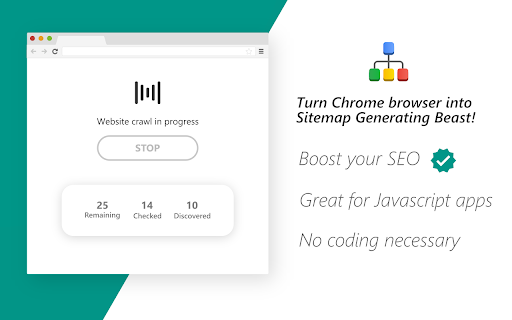
Generate sitemaps using Chrome browser. Especially intended for generating sitemaps for dynamic single-page applications (SPAs).
This extension lets you generate a sitemap for any public website right in your browser. While generating the sitemap, the extension renders the web pages and waits for javascript to load, making it great for crawling dynamic single page applications made with angular, react, etc.
This extension works by taking some start URL, crawling that page for more links, and then recursively crawling those pages for more links. Once all discovered links have been checked, the extension outputs a sitemap file.
This implementation is not practical for website containing tens of thousands of pages. It can however, crawl a few thousand entries in a reasonable amount of time.
================================
Privacy Policy
================================
This application does not collect not store information about any individual user.
This application does not use persistent storage. All applications
data is kept in runtime memory only.
When application runs, it generates a sitemap for specific domain user
has selected and only after user has explicitly granted permission to do so.
Once the application execution ends, all data and the generated sitemap are
lost once memory recycles.
This application may collect anonymized and aggregated usage
data according to google analytics t.o.s to improve user experience
and to identify key functionality. Again, this information does not
identify individual users and follows GA t.o.s.
| 分类 | 💻开发者工具 |
| 插件标识 | hcnjemngcihnhncobgdgkkfkhmleapah |
| 平台 | Chrome |
| 评分 |
☆☆☆☆☆
|
| 评分人数 | |
| 插件主页 | https://chromewebstore.google.com/detail/sitemap-generator/hcnjemngcihnhncobgdgkkfkhmleapah |
| 版本号 | 8.3 |
| 大小 | 62.91KiB |
| 官网下载次数 | 10000 |
| 下载地址 | |
| 更新时间 | 2019-04-07 00:00:00 |
CRX扩展文件安装方法
第1步: 打开Chrome浏览器的扩展程序
第2步:
在地址栏输入: chrome://extensions/
第3步: 开启右上角的【开发者模式】
第4步: 重启Chrome浏览器 (重要操作)
第5步: 重新打开扩展程序管理界面
第6步: 将下载的crx文件直接拖入页面完成安装
注意:请确保使用最新版本的Chrome浏览器