
Sound Found Chrome 插件, crx 扩展下载
Sound Found is a simple lightweight chrome extension that helps the user to quickly locate and manage audible tabs. With the…
Sound Found is a simple lightweight chrome extension that helps the user to quickly locate and manage audible tabs. With the ability to SELECT, PAUSE, MUTE and REMOVE audible tabs at any time!
Ever had several tabs open, perhaps even tabs on other windows, and can’t seem to find the one tab playing sound amongst the many?
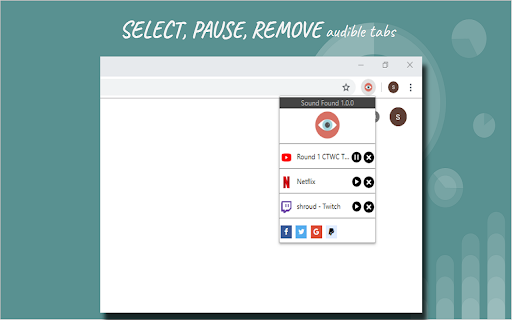
Now you can simply press the extension on the top right of your browser and it will provide a list of all audible tabs to manage: 1) Click the title to quickly navigate to the chosen tab; 2) Selected audible tabs can be conveniently paused for later viewing or removed at any time; 3) Click the eye to quickly mute/unmute all audible tabs.
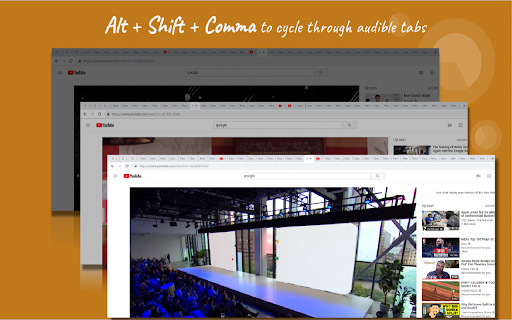
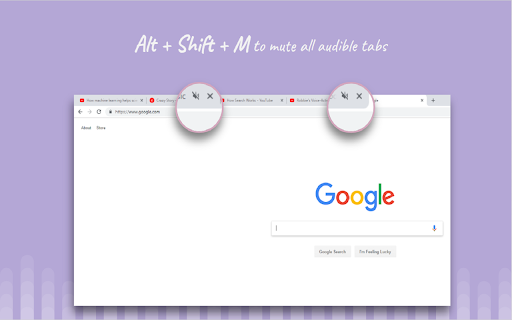
Maybe you want to find audible tabs quicker? Use Alt + Shift + Comma to cycle through all audible tabs or Alt + Shift + M to mute/unmute all.
Pause/play works with several popular websites such as Youtube, Twitch.tv, Netflix, Spotify, SoundCloud and much more!
Features:
Manage specific audible tabs with dropdown
Cycle through audible tabs: Alt + Shift + Comma
Mute/Unmute all audible tabs: Alt + Shift + M
Sound Found works specifically to detect only AUDIBLE tabs
If you have any suggestions for future updates let me know at [email protected]
| 分类 | 📝工作流程与规划 |
| 插件标识 | hdboefheamcmgbcjaedogecdikoomkhi |
| 平台 | Chrome |
| 评分 |
☆☆☆☆☆
|
| 评分人数 | |
| 插件主页 | https://chromewebstore.google.com/detail/sound-found/hdboefheamcmgbcjaedogecdikoomkhi |
| 版本号 | 25.2.3.0 |
| 大小 | 151KiB |
| 官网下载次数 | 284 |
| 下载地址 | |
| 更新时间 | 2019-01-15 00:00:00 |
CRX扩展文件安装方法
第1步: 打开Chrome浏览器的扩展程序
第2步:
在地址栏输入: chrome://extensions/
第3步: 开启右上角的【开发者模式】
第4步: 重启Chrome浏览器 (重要操作)
第5步: 重新打开扩展程序管理界面
第6步: 将下载的crx文件直接拖入页面完成安装
注意:请确保使用最新版本的Chrome浏览器