
CSS TRIMMER Chrome 插件, crx 扩展下载
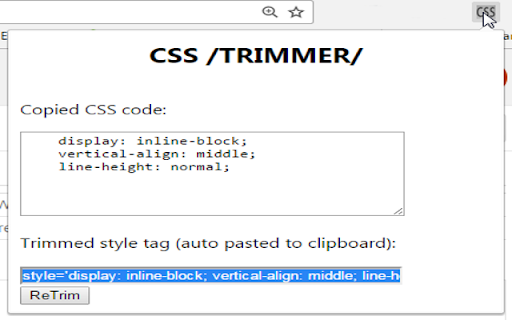
Creates a single line Style tag from Chrome's dev tools Styles menu
Quickly turns Dev Tools CSS Styles code to an inline style tag.
For example, turn:
display: block;
height: 14em;
resize: vertical;
To:
style='display: block; height: 14em; resize: vertical;'
In a single click.
How to use:
1- Copy any CSS code block from Chrome's Dev Tools Styles menu to the clipboard (CTRL+C).
2- Press the CSS icon in the extensions menu.
3- That's it, you're done, the inline style tag is auto copied to your clipboard (and also visible in the popup page).
4- You can modify the CSS code and press the 'ReTrim' button to create the style tag again, with your changes.
| 分类 | 💻开发者工具 |
| 插件标识 | hdhbfineemcdppmmlahpohaiinapaejc |
| 平台 | Chrome |
| 评分 |
☆☆☆☆☆
|
| 评分人数 | |
| 插件主页 | https://chromewebstore.google.com/detail/css-trimmer/hdhbfineemcdppmmlahpohaiinapaejc |
| 版本号 | 8.3 |
| 大小 | 18.0KiB |
| 官网下载次数 | 37 |
| 下载地址 | |
| 更新时间 | 2017-04-21 00:00:00 |
CRX扩展文件安装方法
第1步: 打开Chrome浏览器的扩展程序
第2步:
在地址栏输入: chrome://extensions/
第3步: 开启右上角的【开发者模式】
第4步: 重启Chrome浏览器 (重要操作)
第5步: 重新打开扩展程序管理界面
第6步: 将下载的crx文件直接拖入页面完成安装
注意:请确保使用最新版本的Chrome浏览器