
San Proxy Chrome 插件, crx 扩展下载

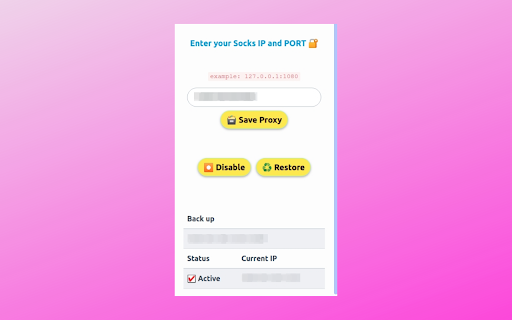
San Proxy - A Chromium Based Extension for using Socks Proxy.
▶ San Proxy ?
A simple and Lightweight Chromium based Extension for Connect the Socks5 Proxy
▶ Why this Extension ❔
I build this Extension to Connect the Socks5 Proxy on My Browser only - Browse Anonymously ?
▶ Requirements ?
- Socks Proxy
Currently it supports IP Authorization Method only
▶ Features ?
- Supports on Browser Build with Chromium
- Socks5 Proxy with Port - Supports HTTP, HTTPS and FTP Connections
- Disable option
- Get Proxy Status and IP
- System Font
- Spectre.css Framework
- Light Weight and Optimized
- Backup the Storage
- Proxy Status
- Restore Option
▶ LICENSE ☑
MIT
| 分类 | 📝工作流程与规划 |
| 插件标识 | hfkbfaacabmkdnemhpffhhhpnecnmkjg |
| 平台 | Chrome |
| 评分 |
☆☆☆☆☆
|
| 评分人数 | |
| 插件主页 | https://chromewebstore.google.com/detail/san-proxy/hfkbfaacabmkdnemhpffhhhpnecnmkjg |
| 版本号 | 0.3 |
| 大小 | 128KiB |
| 官网下载次数 | 1000 |
| 下载地址 | |
| 更新时间 | 2022-06-21 00:00:00 |
CRX扩展文件安装方法
第1步: 打开Chrome浏览器的扩展程序
第2步:
在地址栏输入: chrome://extensions/
第3步: 开启右上角的【开发者模式】
第4步: 重启Chrome浏览器 (重要操作)
第5步: 重新打开扩展程序管理界面
第6步: 将下载的crx文件直接拖入页面完成安装
注意:请确保使用最新版本的Chrome浏览器