
Hola Translator for Chrome Chrome 插件, crx 扩展下载
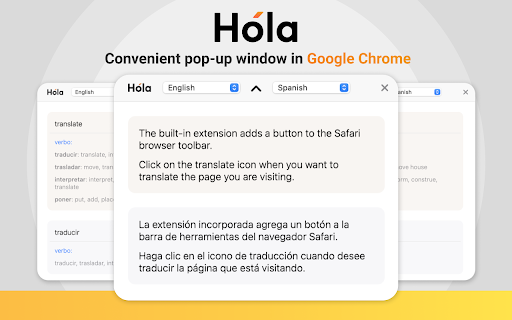
Translate Page and Text in Browser
The new Hola Translator app allows you to translate both text and the whole pages in your web browser.When the extension is installing, a hotkey for calling appears in the browser, which allows you to translate texts very rapidly, without going to third-party pages and other applications.
The main advantage is an automatic system for determining the source text, which significantly simplifies and speeds up the translation process. You only need to select the necessary fragment of the page, and the extension will translate this particular passage without touching the rest of the text and advertising, which eliminates the need to read the entire text again.
If necessary, the application translates the whole page at your request.
More than 100 different languages for translation, the full meaning of the translated words and the selection of synonyms allows you to get the most accurate and high-quality translation.
With the help of hotkeys, both the whole text and individual necessary fragments are translated.
| 分类 | ♿无障碍访问 |
| 插件标识 | hgdlbdfhokgghlojnkonhkcdlamolagk |
| 平台 | Chrome |
| 评分 |
☆☆☆☆☆
|
| 评分人数 | |
| 插件主页 | https://chromewebstore.google.com/detail/hola-translator-for-chrom/hgdlbdfhokgghlojnkonhkcdlamolagk |
| 版本号 | 1.0.3 |
| 大小 | 68.32KiB |
| 官网下载次数 | 1000 |
| 下载地址 | |
| 更新时间 | 2023-12-13 00:00:00 |
CRX扩展文件安装方法
第1步: 打开Chrome浏览器的扩展程序
第2步:
在地址栏输入: chrome://extensions/
第3步: 开启右上角的【开发者模式】
第4步: 重启Chrome浏览器 (重要操作)
第5步: 重新打开扩展程序管理界面
第6步: 将下载的crx文件直接拖入页面完成安装
注意:请确保使用最新版本的Chrome浏览器