
Quick Dictionary Chrome 插件, crx 扩展下载

search your dictionary cambridge on the go
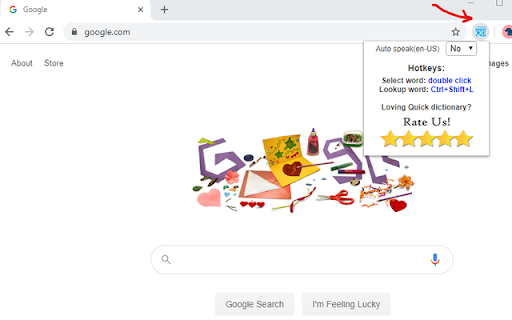
Quick Dictionary (QD) is your dictionary on the go.
Quickly lookup any word while surfing the web; look up work on most website
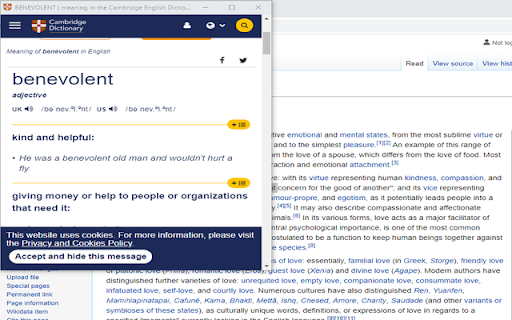
Quick Dictionary utilize Dictionary Cambridge online to look up new word, pronunciation (US&UK).
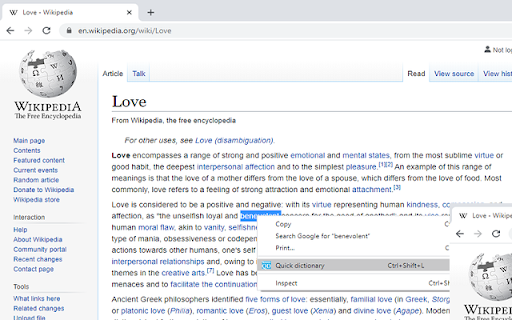
Use QD in two ways:
1. With context menu
-double-click on the word to select it
-Right-click to the text
-Click Quick Dictionary
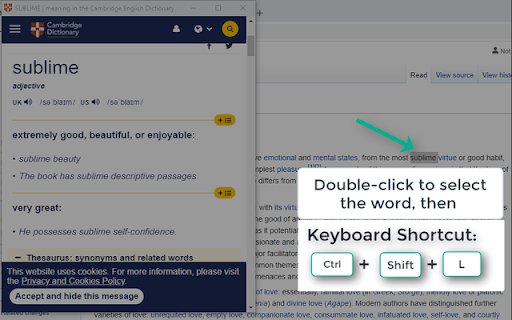
2. With Keyboard shortcut
- double-click on the word to select it
- Enter Hotkey: Ctrl + Shift + L
Feature:
- Dictionary open in a new popup windows and reuse the same popup window
for the next lookup (so you will not be overwhelmed with new windows).
- Disable or Enable the Auto-speak feature
- Listen in US or UK pronunciation
Thank you for using this Chrome extension. Feel free to share it with others.
| 分类 | 📝工作流程与规划 |
| 插件标识 | hhkpllkpdbjolfmnooionbkpjkeeigjg |
| 平台 | Chrome |
| 评分 |
☆☆☆☆☆
|
| 评分人数 | |
| 插件主页 | https://chromewebstore.google.com/detail/quick-dictionary/hhkpllkpdbjolfmnooionbkpjkeeigjg |
| 版本号 | 25.2.3.0 |
| 大小 | 63.95KiB |
| 官网下载次数 | 1000 |
| 下载地址 | |
| 更新时间 | 2020-06-29 00:00:00 |
CRX扩展文件安装方法
第1步: 打开Chrome浏览器的扩展程序
第2步:
在地址栏输入: chrome://extensions/
第3步: 开启右上角的【开发者模式】
第4步: 重启Chrome浏览器 (重要操作)
第5步: 重新打开扩展程序管理界面
第6步: 将下载的crx文件直接拖入页面完成安装
注意:请确保使用最新版本的Chrome浏览器