
Crunchyroll Queue Chrome 插件, crx 扩展下载
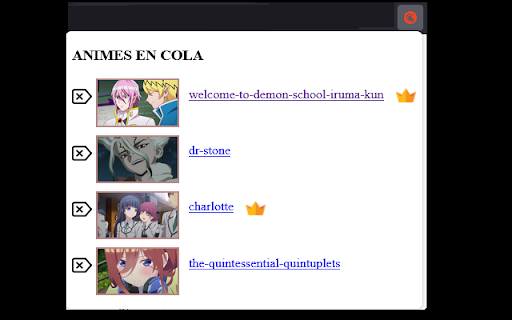
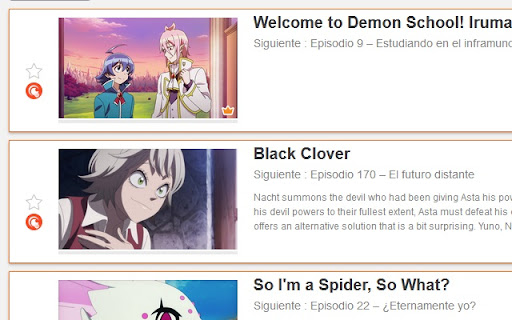
This Extension create a external queue for one account Crunchyroll and too many users
This Extension save in your browser one queue of your anime from Crunchyroll (https://www.crunchyroll.com).
Added 2 buttons in https://www.crunchyroll.com/home/queue and https://www.crunchyroll.com/*/episode*
This button add anime in your queue, in this queue you can see or delete your anime in the future.
You can see this button on the Screenshots for locate it.
Thx for using this extension.
3.0 The crown Update! In this update add the crown..
The Crown Check for you in Crunchyroll if Exist new Episode of you anime!
Dont forget say thx!
| 分类 | 🛠️工具 |
| 插件标识 | hidpbdcgmlcpcgdaaobpbamhbkamihpe |
| 平台 | Chrome |
| 评分 |
☆☆☆☆☆
|
| 评分人数 | |
| 插件主页 | https://chromewebstore.google.com/detail/crunchyroll-queue/hidpbdcgmlcpcgdaaobpbamhbkamihpe |
| 版本号 | 1.0.0.47 |
| 大小 | 184KiB |
| 官网下载次数 | 31 |
| 下载地址 | |
| 更新时间 | 2021-06-17 00:00:00 |
CRX扩展文件安装方法
第1步: 打开Chrome浏览器的扩展程序
第2步:
在地址栏输入: chrome://extensions/
第3步: 开启右上角的【开发者模式】
第4步: 重启Chrome浏览器 (重要操作)
第5步: 重新打开扩展程序管理界面
第6步: 将下载的crx文件直接拖入页面完成安装
注意:请确保使用最新版本的Chrome浏览器