
巴利语(Pāli)输入 Chrome 插件, crx 扩展下载
使用快捷键输入巴利语
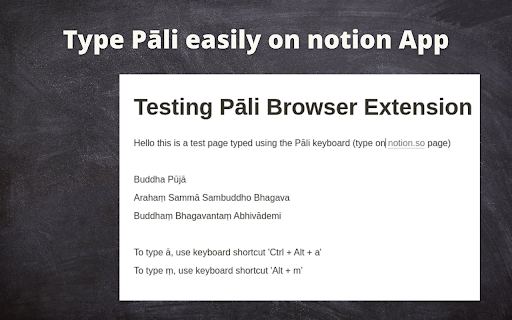
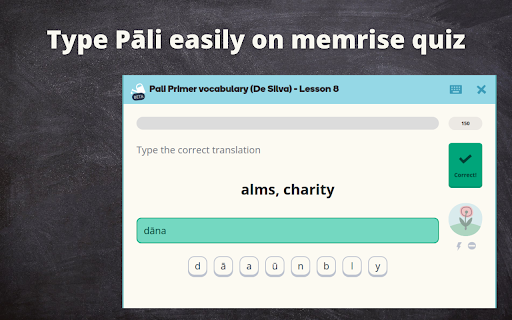
This extension allow you to key in Pāli characters using following keyboard shortcuts. This is an open source project.
Note: if this does not work well for you, you may use this online version notepad as well: https://mydhamma.github.io/pali-notepad
Limitation:
Currently it is working on textarea and input. However it is not working in Google Document and other Google drive products.
Tilde characters
ā : Ctrl + Alt + a
Ā : Ctrl + Alt + A
ī : Ctrl + Alt + i
Ī : Ctrl + Alt + I
ñ : Ctrl + Alt + n
Ñ : Ctrl + Alt + N
ū : Ctrl + Alt + u
Ū : Ctrl + Alt + U
// Ctrl + Alt + Y provided as some browsers has issue with Ctrl + Alt + U
Ū : Ctrl + Alt + Y
Underdot characters
ḍ : Alt + d
Ḍ : Alt + D
ḷ : Alt + l
Ḷ : Alt + L
ṃ : Alt + m
Ṃ : Alt + M
ŋ : Alt + g
ṇ : Alt + n
Ṇ : Alt + N
ṭ : Alt + t
Ṭ : Alt + T
Overdot characters
ṁ : Ctrl + m
ṅ : Ctrl + n
Ṅ : Ctrl + N
// Ctrl + , provided as some browsers has issue with Ctrl + N
ṅ : Ctrl + ,
// Ctrl + < provided as some browsers has issue with Ctrl + n
Ṅ : Ctrl + <
Source code available at https://github.com/mydhamma/pali-keyboard-browser-extension
| 分类 | 📝工作流程与规划 |
| 插件标识 | higofjfhamkohgeohjdoblglbfdjejpk |
| 平台 | Chrome |
| 评分 |
☆☆☆☆☆
|
| 评分人数 | |
| 插件主页 | https://chromewebstore.google.com/detail/巴利语pāli输入/higofjfhamkohgeohjdoblglbfdjejpk |
| 版本号 | 25.2.3.0 |
| 大小 | 63.45KiB |
| 官网下载次数 | 35 |
| 下载地址 | |
| 更新时间 | 2021-10-31 00:00:00 |
CRX扩展文件安装方法
第1步: 打开Chrome浏览器的扩展程序
第2步:
在地址栏输入: chrome://extensions/
第3步: 开启右上角的【开发者模式】
第4步: 重启Chrome浏览器 (重要操作)
第5步: 重新打开扩展程序管理界面
第6步: 将下载的crx文件直接拖入页面完成安装
注意:请确保使用最新版本的Chrome浏览器