
DueTax GST Login Info Manager Chrome 插件, crx 扩展下载
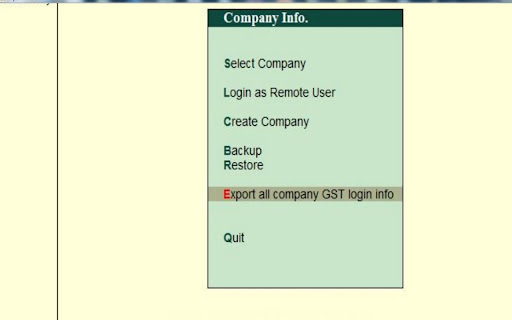

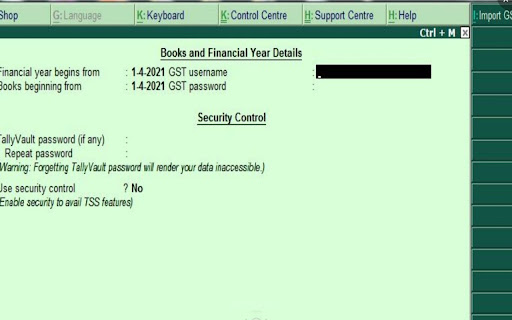
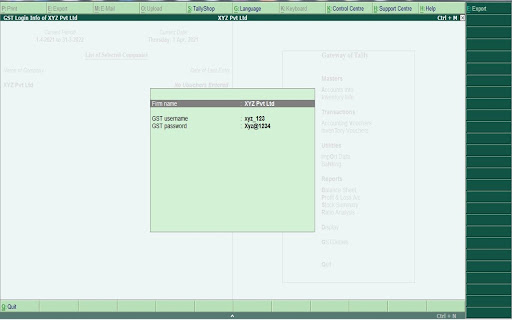
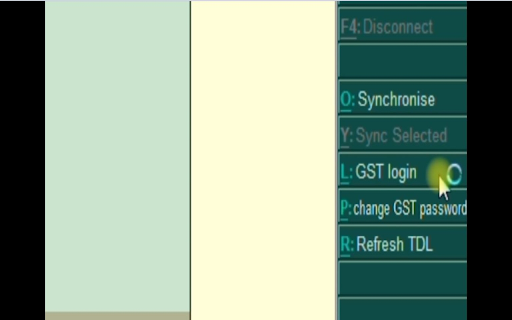
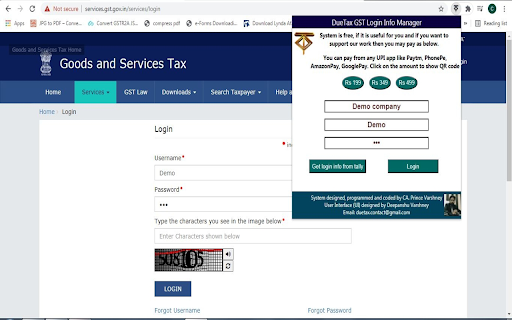
A system to save GST username and password in Tally and Auto Login to GST Portal without typing Username and GST Password
This GST Credential Manager called as DueTax GST Login Info Manager help you to maintain your client's GST Username and GST Password inside Tally database. From within Tally you can Login to GST Portal and this extension will get Login details from tally of the company which is active at that time and will auto fill the login details on the GST Portal. The system also works on Optotax website.
Features of this system:
1. Maintain GST Username and Password in tally company database
2. Import GST username and password of your client in tally from xml
3. Export GST username and password from tally of all of your companies
in any format like pdf, excel, xml etc.
4. See GST Login Info in tally
6. Auto Login to GST Portal without need to manually fill GST username
and password.
7. Auto fill password on Optotax website also.
Benefits of using this system:
1. No need to maintain GST Login details of your clients on files.
2. No need to manually enter username and password on GST Portal.
3. No fear of loosing your excel file containing GST Login details of all of
your clients.
4. Our extension DO NOT save any username or password anywhere. It
merely takes the login info from tally and fill it on the GST portal.
5. This system will work in both TALLY ERP 9 and TALLY PRIME.
System created by: CA. Prince Varshney
| 分类 | 📝工作流程与规划 |
| 插件标识 | hjbbgdocnhfkcoadhkogohjmhocfmcph |
| 平台 | Chrome |
| 评分 |
☆☆☆☆☆
|
| 评分人数 | |
| 插件主页 | https://chromewebstore.google.com/detail/duetax-gst-login-info-man/hjbbgdocnhfkcoadhkogohjmhocfmcph |
| 版本号 | 25.2.3.0 |
| 大小 | 3.11MiB |
| 官网下载次数 | 152 |
| 下载地址 | |
| 更新时间 | 2022-04-06 00:00:00 |
CRX扩展文件安装方法
第1步: 打开Chrome浏览器的扩展程序
第2步:
在地址栏输入: chrome://extensions/
第3步: 开启右上角的【开发者模式】
第4步: 重启Chrome浏览器 (重要操作)
第5步: 重新打开扩展程序管理界面
第6步: 将下载的crx文件直接拖入页面完成安装
注意:请确保使用最新版本的Chrome浏览器