
Modern Digital Signage — Pixelart Player Chrome 插件, crx 扩展下载



Digital Signage for Chrome
Pixelart Player - Simple & Modern Digital Signage Player
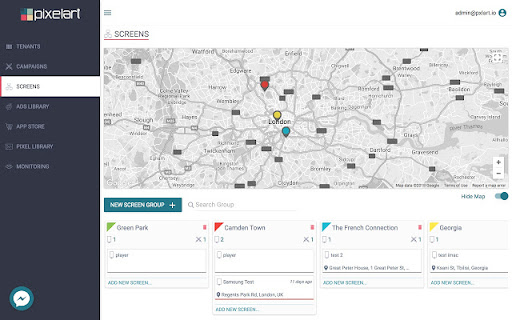
Do you want great screen displays, but without all the hassle? Download the Pixelart Player App to manage your screen network with complete ease from anywhere at any time. With Pixelart you can publish campaigns to display beautiful content on your screens in minutes.
Turn any screen into a beautiful Digital Signage display!
Pixelart. Engage Your Audience.
STEP 1: Install this app to Chrome Browser.
STEP 2: Register your app at https://cms.pixelart.ai
For more information visit https://pixelart.ai
| 分类 | 👥社交 |
| 插件标识 | hjieiomebbkmkokbeffgiglicbkhapoo |
| 平台 | Chrome |
| 评分 |
☆☆☆☆☆
|
| 评分人数 | |
| 插件主页 | https://chromewebstore.google.com/detail/modern-digital-signage-—/hjieiomebbkmkokbeffgiglicbkhapoo |
| 版本号 | 3.128.4 |
| 大小 | 422KiB |
| 官网下载次数 | 201 |
| 下载地址 | |
| 更新时间 | 2020-01-23 00:00:00 |
CRX扩展文件安装方法
第1步: 打开Chrome浏览器的扩展程序
第2步:
在地址栏输入: chrome://extensions/
第3步: 开启右上角的【开发者模式】
第4步: 重启Chrome浏览器 (重要操作)
第5步: 重新打开扩展程序管理界面
第6步: 将下载的crx文件直接拖入页面完成安装
注意:请确保使用最新版本的Chrome浏览器